
Most OSHA compliance software roundups are written for every possible buyer: retailers, hospitals, manufacturers, enterprise EHS departments, and corporate compliance teams. Contractors are dealing with a narrower problem. Safety work happens on phones, in trucks, around rotating crews, and at job sites where paper packets and Excel trackers still carry too much of the load.
For oilfield, construction, and industrial service contractors, OSHA software has to do more than store forms. It needs to work when service drops, turn failed inspections into follow-up, keep photos and signatures attached, support OSHA 300/300A/301 records, and stay affordable enough that supervisors do not have to ration paid seats.
This comparison favors tools that can survive field use and reduce spreadsheet cleanup. Broad enterprise EHS suites can be powerful, but that does not automatically make them the right fit for a 40-person oilfield contractor trying to get out of binders.
| # | Product | Best for | Pricing |
|---|---|---|---|
| 1 | BasinCheck | Oilfield, construction, and field-service contractors that need audits, incidents, corrective actions, OSHA logs, and offline field capture without per-user pricing pressure | From $149/mo (flat team pricing — Starter: $149, Standard: $299, Pro: $599, Enterprise: $1,200+; no per-user fees) |
| 2 | iReportSource | Safety managers whose primary need is OSHA recordkeeping automation and rate calculations more than field inspection workflows | Starting at $74.99/month (~$900/year); free plan and trial available; custom quotes for larger implementations |
| 3 | VelocityEHS | Mid-to-large organizations that need OSHA recordkeeping integrated with chemical management, ergonomics, and enterprise-wide EHS analytics | Subscription-based, no separate per-user fees; estimated $10–$30/user/mo depending on modules; custom quotes required |
| 4 | EHS Insight | Mid-size companies (50–500 employees) that need OSHA compliance automation with offline mobile access at mid-market pricing | Starting ~$4,600/year; module-driven pricing with custom quotes; free trial available |
| 5 | SafetyCulture (iAuditor) | Safety teams that need OSHA-aligned inspection checklists and incident reporting on a mobile-first platform — but handle actual OSHA recordkeeping separately | Free plan (up to 10 users); Premium from ~$24/user/mo billed annually; Enterprise custom pricing |
| 6 | Safesite | Small companies (under 50 employees) that need basic OSHA compliance at the lowest possible cost — with a free tier for inspection and hazard management | Free plan (inspections, hazard reporting, incident reports, safety scorecard — 30-day history); Premium at $20/user/mo ($16 billed annually) |
| 7 | Benchmark Gensuite (Benchmark ESG) | Large, multi-site enterprises (500+ employees) that need OSHA compliance management unified across dozens of facilities with no per-user licensing constraints | Subscription-based with no per-user fees; custom quotes required; enterprise pricing positioned as cost-effective relative to competitors |
BasinCheck
Flat-priced OSHA-ready safety software for contractors moving off paper and Excel

Best For
Oilfield, construction, and field-service contractors that need audits, incidents, corrective actions, OSHA logs, and offline field capture without per-user pricing pressure
Pricing
From $149/mo (flat team pricing — Starter: $149, Standard: $299, Pro: $599, Enterprise: $1,200+; no per-user fees)
BasinCheck is the contractor-first option on this list, especially for teams still juggling paper binders, Excel trackers, and per-seat software costs. It is built around field safety work: inspections, JSAs, permits, incidents, corrective actions, photos, signatures, and proof that a finding was closed out. OSHA readiness is not only about generating a form. It is about keeping the documentation chain intact.
For recordkeeping details, see BasinCheck's OSHA 300 log software. Use the OSHA ITA coverage calculator and CSV validator to review electronic reporting coverage and check CSV formatting.
The pricing model matters. Per-user tools can look cheap until a 35-person crew becomes a 50-person crew, or a shutdown project adds temporary workers who still need to report hazards and complete safety tasks. BasinCheck's flat monthly pricing keeps software access from becoming a bottleneck.
Offline use is the other reason it belongs near the top for oilfield and remote field-service teams. Crews can capture audits, incidents, JSAs, and supporting evidence when the site has poor connectivity, then sync when service returns. If the app only works well in the office, crews eventually drift back to paper.
Key Features
Pros
- Flat pricing helps contractors give access to supervisors, rotating crews, seasonal workers, and subcontractor leads without watching the seat count every week
- Offline-first workflows fit oilfield and remote job sites where cell service is unreliable and paper usually survives by default
- Keeps inspections, JSAs, incidents, corrective actions, photos, signatures, and OSHA records in one place instead of scattering them across spreadsheets
Cons
- Newer platform with a smaller user base than enterprise vendors like VelocityEHS, Benchmark Gensuite, and SafetyCulture
- Focused on safety operations, audit trails, and OSHA-ready documentation; teams needing broad environmental, ESG, or carbon accounting modules will need another system
- Built for contractor and field-service safety work, not a broad enterprise EHS rollout across every corporate risk category
Verdict: Best fit for contractors and oilfield crews that need OSHA-ready documentation, corrective-action accountability, offline capture, and predictable pricing without enterprise bloat.
iReportSource
Purpose-built OSHA recordkeeping platform with strong 300/300A automation
Best For
Safety managers whose primary need is OSHA recordkeeping automation and rate calculations more than field inspection workflows
Pricing
Starting at $74.99/month (~$900/year); free plan and trial available; custom quotes for larger implementations
iReportSource is a strong OSHA recordkeeping specialist. While many tools use "OSHA compliance" to mean inspection templates or generic incident forms, iReportSource puts recordkeeping close to the center of the product: incident data, OSHA logs, injury reports, and safety rate calculations.
The rate calculations are the useful part for busy safety managers. TRIR, LTIR, and DART rates often become spreadsheet chores right before prequalification submissions, operator reviews, or annual reporting. Keeping those metrics current removes a lot of administrative drag.
The trade-off is breadth. iReportSource makes the most sense when OSHA recordkeeping is the main pain. Contractors trying to replace paper inspections, field JSAs, corrective-action follow-up, and photo-based closeout proof may need a broader field safety workflow around the recordkeeping layer.
Key Features
Pros
- OSHA recordkeeping is central to the product; 300/300A form generation and rate calculations are not buried inside a larger enterprise suite
- Automated TRIR, LTIR, and DART rate calculations save hours of spreadsheet work for safety managers preparing client or prequalification reports
- Lower published entry price than many broader EHS tools, which makes it accessible for teams that mainly need recordkeeping discipline
Cons
- Narrower platform than contractor safety systems; field audits, JSAs, permits, and corrective-action operations are not the main focus
- Less useful for crews trying to replace paper and Excel across daily safety workflows, because the center of gravity is recordkeeping
- Smaller vendor with less brand recognition and fewer ecosystem integrations than large EHS suites
Verdict: Good fit when 300/300A logs and safety rate calculations matter more than replacing day-to-day field paperwork.
VelocityEHS
Enterprise EHS platform with OSHA recordkeeping, AI insights, and chemical compliance
Best For
Mid-to-large organizations that need OSHA recordkeeping integrated with chemical management, ergonomics, and enterprise-wide EHS analytics
Pricing
Subscription-based, no separate per-user fees; estimated $10–$30/user/mo depending on modules; custom quotes required
VelocityEHS has one of the broadest OSHA compliance footprints in this comparison. Beyond standard recordkeeping (300/300A/301 auto-generation), the platform covers OSHA HazCom compliance with chemical management and SDS access, ergonomic risk assessment, and electronic submission preparation through CSV auto-creation for OSHA's Injury Tracking Application.
The AI PSIF (Potential Serious Injury & Fatality) module is aimed at teams that want more than recordkeeping. It analyzes near-miss data, observations, and incident patterns to flag conditions that may lead to serious injuries. That can be valuable for mature safety programs, but it is a different buying motion than a contractor trying to replace paper inspections and incident spreadsheets.
The concern for smaller organizations is cost and complexity. VelocityEHS is built for mid-market to enterprise deployments, and the platform's breadth means you may pay for chemical management, ergonomics, and environmental compliance even if your immediate need is straightforward OSHA 300 log management. Companies under 100 employees with simple recordkeeping needs will usually find lighter tools easier to adopt.
Key Features
Pros
- Broad OSHA compliance scope covering recordkeeping (300/300A/301), electronic submission (ITA CSV), chemical compliance (HazCom), and ergonomic injury prevention in one platform
- CSV auto-creation for OSHA's Injury Tracking Application reduces the manual CSV cleanup that often happens before electronic submission
- AI PSIF (Potential Serious Injury & Fatality) insights analyze near-miss data to predict where the next serious incident might occur — proactive compliance rather than reactive recordkeeping
Cons
- Pricing is enterprise-level and non-transparent — companies under 100 employees may find the cost disproportionate to what they need for basic OSHA recordkeeping
- Feature density creates a steep learning curve — safety managers report needing significant onboarding time before OSHA recordkeeping workflows are configured and running smoothly
- Mobile app has fewer capabilities than the desktop version — OSHA-specific workflows like incident classification and form review may require desktop access
Verdict: Best suited to mid-to-large organizations with complex OSHA, chemical, ergonomic, and electronic submission requirements. Usually too much platform for small companies that only need 300 log automation.
Try BasinCheck Free for 7 Days
Check BasinCheck plan limits and pricing against your requirements.
Start Free TrialEHS Insight
Mid-market EHS platform with automated OSHA forms, AI-powered SIF prediction, and offline mobile
Best For
Mid-size companies (50–500 employees) that need OSHA compliance automation with offline mobile access at mid-market pricing
Pricing
Starting ~$4,600/year; module-driven pricing with custom quotes; free trial available
EHS Insight provides OSHA compliance automation inside a broader mid-market EHS platform. Incident data flows into OSHA 300, 300A, and 301 forms, compliance deadlines trigger reminders, and the AI Copilot reviews incidents and observations for SIF (Serious Injury & Fatality) precursors. For mid-size companies that need more than basic recordkeeping but do not want a full enterprise deployment, it occupies a reasonable middle ground.
The compliance tracking module is useful because OSHA work has dates attached to it: 300A posting on February 1, electronic submission through ITA on March 2, and recordkeeping retention periods. Automatic reminders help safety managers avoid the deadline surprises that turn into rushed filings.
The offline mobile app also matters for recordkeeping. Incidents must be recorded within seven calendar days of the employer learning about them under OSHA Recordkeeping Standard 1904.29. If field workers cannot report incidents from remote job sites because the app needs service, the clock keeps running while the report waits for WiFi.
Key Features
Pros
- Full OSHA form automation (300/300A/301) at mid-market pricing, without the footprint of the largest enterprise suites
- AI Copilot identifies SIF precursors from your incident and near-miss data — surfaces the open issues most likely to become OSHA-recordable injuries if not addressed
- Offline mobile app lets field workers report incidents from remote sites without waiting for connectivity
Cons
- Training catalog does not include OSHA-approved courses (OSHA-10, OSHA-30, HAZWOPER, MSHA Part 46) — if training compliance is part of your OSHA program, you need a separate training provider
- Initial configuration takes weeks — OSHA recordkeeping workflows need to be set up for your specific incident categories and reporting structure before they automate effectively
- Some users describe the incident reporting process as confusing — the workflow path from incident entry to OSHA classification isn't always intuitive for new users
Verdict: A strong mid-market option for OSHA compliance automation, especially for companies that need form generation, SIF review, and offline mobile reporting without a full enterprise rollout.
SafetyCulture (iAuditor)
Mobile inspection platform with OSHA compliance templates — not automated recordkeeping

Best For
Safety teams that need OSHA-aligned inspection checklists and incident reporting on a mobile-first platform — but handle actual OSHA recordkeeping separately
Pricing
Free plan (up to 10 users); Premium from ~$24/user/mo billed annually; Enterprise custom pricing
SafetyCulture shows up in OSHA compliance software searches because its template library includes OSHA-aligned inspection checklists and digital versions of OSHA forms. The distinction matters: these are templates and checklists, not automated OSHA recordkeeping. Your safety manager still has to classify incidents, populate 300 log entries, and assemble 300A annual summaries.
SafetyCulture is most useful in the inspection layer. The platform's OSHA checklists cover fall protection, LOTO, machine guarding, electrical safety, scaffolding, confined space, and other common inspection areas. QR code hazard reporting also makes it easier for workers to report unsafe conditions from the field.
For contractors, the buying question is whether digital inspections are enough. SafetyCulture helps teams find issues, document conditions, and assign fixes. It does not replace the recordkeeping work behind OSHA form generation, incident classification, rate calculations, and electronic reporting.
Key Features
Pros
- Large library of OSHA-specific inspection templates, including LOTO, machine guarding, fall protection, and PPE checklists
- QR code hazard reporting lets workers report hazards from a phone without installing the app
- Free plan for up to 10 users gives small companies a low-risk way to test digital inspections
Cons
- Does not auto-generate OSHA 300, 300A, or 301 forms from incident data; the OSHA templates are digital forms, not recordkeeping automation
- No incident classification engine, so recordable vs. first aid vs. lost time decisions remain manual
- Per-user pricing at $24/user/month can get expensive for contractors with rotating crews, especially if the main use case is inspections
Verdict: Strong mobile inspection tool for OSHA-aligned audits and hazard reporting. Contractors that need automated 300 logs, incident classification, and compliance documentation will still need a recordkeeping workflow around it.
Safesite
Free safety app with OSHA recordkeeping on the Premium tier — built for construction and small industry
Best For
Small companies (under 50 employees) that need basic OSHA compliance at the lowest possible cost — with a free tier for inspection and hazard management
Pricing
Free plan (inspections, hazard reporting, incident reports, safety scorecard — 30-day history); Premium at $20/user/mo ($16 billed annually)
Safesite gives small companies a real free starting point. The free tier includes custom inspections, hazard reporting, incident reports, and a safety scorecard, which may be enough for a contractor that is just starting to move daily safety work out of paper.
The OSHA 300 log capability on the Premium tier ($16–$20/user/month) moves Safesite closer to recordkeeping. The platform also supports VPP (Voluntary Protection Program) and SHARP (Safety and Health Achievement Recognition Program) workflows for companies pursuing OSHA voluntary programs.
The limitation is compliance depth and historical data access. The free tier's 30-day reporting history limit creates a practical problem because OSHA requires employers to maintain injury and illness records for at least five years (29 CFR 1904.33). Premium removes that limit, but the depth of 300A annual summary and 301 incident report automation is less clear than it is with recordkeeping-first tools.
Key Features
Pros
- Free tier includes inspection, hazard reporting, and incident management, which is enough for a small team to start digitizing basic safety work
- Premium tier ($16–$20/user/month) includes OSHA 300 log integration at a price point accessible to small contractors and manufacturers
- Safety Score analytics give teams a simple way to show improvement trends to management, clients, or OSHA voluntary programs
Cons
- Free tier has a 30-day reporting history limit — you lose access to historical data after 30 days unless you upgrade, which undermines OSHA's requirement to maintain records for 5+ years
- OSHA recordkeeping automation is less clearly documented than competitors; 300 log support is listed as a Premium feature, but the depth of 300A and 301 automation is unclear
- Smaller vendor with a narrower feature roadmap than established EHS platforms
Verdict: A useful free starting point for small companies moving basic safety work online. Growing teams should look closely at record retention and the depth of OSHA form automation before relying on it as their main compliance system.
Benchmark Gensuite (Benchmark ESG)
Enterprise EHS platform with OSHA recordkeeping, compliance calendar, and AI-assisted automation
Best For
Large, multi-site enterprises (500+ employees) that need OSHA compliance management unified across dozens of facilities with no per-user licensing constraints
Pricing
Subscription-based with no per-user fees; custom quotes required; enterprise pricing positioned as cost-effective relative to competitors
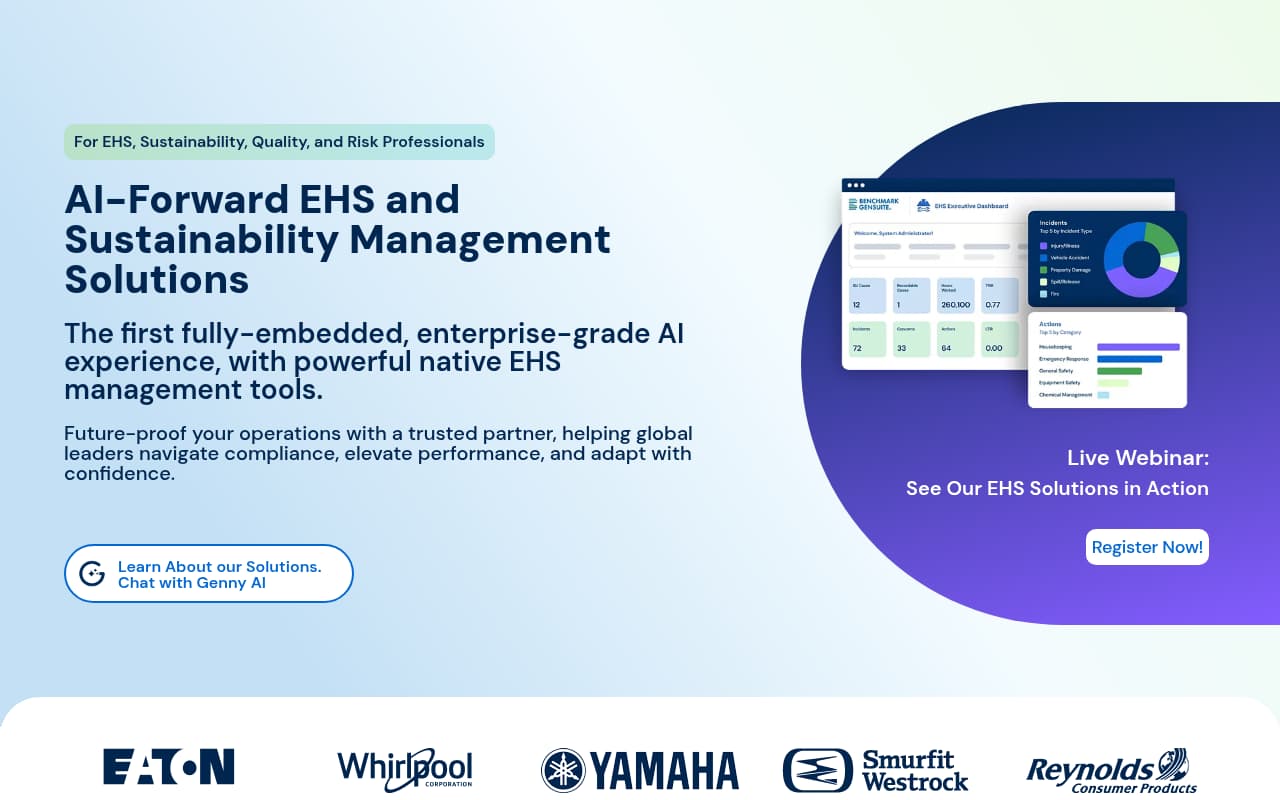
Benchmark Gensuite (now Benchmark ESG) provides OSHA compliance management as part of an enterprise EHS platform serving large, multi-site organizations. Its injury and illness recordkeeping module is a documented strength, with OSHA log tracking, automated form generation from incident data, and a compliance calendar for recurring OSHA deadlines.
The compliance calendar is useful for enterprises that manage requirements across many sites. Instead of relying on each safety manager to remember 300A posting, ITA submission, and retention dates, the platform turns those requirements into tracked tasks with reminders and status visibility.
The challenge is usability. Benchmark Gensuite reflects its enterprise heritage: powerful, but not lightweight. For OSHA compliance, that matters because automated forms are only as good as the incident data feeding them. If field workers avoid the mobile workflow, recordkeeping can still start from incomplete information.
Key Features
Pros
- OSHA injury and illness recordkeeping is a documented strength, with automated form generation and detailed tracking
- Compliance calendar spreads posting deadlines, submission windows, and records retention tasks through the year
- No per-user fees make broad access more practical for large enterprises with thousands of employees and contractors
Cons
- User interface can be hard for employees to navigate, especially compared with lighter field-first tools
- Mobile app reliability receives mixed feedback, which matters when incident capture starts in the field
- Implementation and custom programming costs make it a poor fit for smaller companies without dedicated EHS administration
Verdict: Strong enterprise OSHA compliance platform with detailed recordkeeping and a useful compliance calendar. Best for large, multi-site organizations with dedicated EHS teams, not SMB contractors trying to move off paper quickly.
Side-by-side feature comparison
| Software | Best For | Starting Price | Pricing Model | Field Offline Use | Contractor/Oilfield Fit | Paper/Excel Replacement | OSHA Recordkeeping |
|---|---|---|---|---|---|---|---|
| BasinCheck | Contractors replacing paper/Excel | $149/mo flat | Flat team pricing | Full offline-first field workflows | High | High | 300/300A/301 support |
| iReportSource | Pure OSHA recordkeeping | $74.99/mo | Published monthly plan | Basic | Medium | Medium | Strong 300/300A focus |
| VelocityEHS | Enterprise OSHA + chemical | ~$10/user/mo | Custom/module-based | Limited | Medium | High for enterprise teams | Strong enterprise suite |
| EHS Insight | Mid-market OSHA | ~$4,600/year | Custom/module-based | Full offline mobile | Medium | High | Strong mid-market suite |
| SafetyCulture (iAuditor) | OSHA inspections | Free / $24/user/mo | Per-user | Strong mobile inspections | Medium | High for checklists | Templates/checklists, not full automation |
| Safesite | Free OSHA basics | Free / $16/user/mo | Per-user | Yes | Medium | Medium | 300 log support on paid tier |
| Benchmark Gensuite (Benchmark ESG) | — | — | — | — | — | — | — |
How we evaluated these tools
This comparison looks at 15+ safety platforms through the question contractors usually care about: which OSHA compliance tools can survive field conditions, reduce paper and Excel work, and keep records audit-ready without enterprise overhead? Many platforms claim "OSHA compliance" but mean very different things, from auto-generated forms to blank templates to generic incident reporting.
- Contractor fit — Does the tool match how oilfield, construction, and industrial service crews work, or is it primarily built for corporate EHS teams?
- Pricing model — Does the platform charge per user, or can a contractor give access to supervisors, rotating crews, and temporary workers without unpredictable seat costs?
- Offline field capture — Can crews complete audits, incidents, JSAs, and evidence capture at remote sites with poor connectivity?
- Paper and Excel replacement — Does the tool replace the operational workflow, or does it only generate another report that still has to be reconciled in spreadsheets?
- Form auto-generation depth — Does the platform auto-generate OSHA 300 logs, 300A annual summaries, and 301 individual incident reports from data you've already entered? Or does it provide blank templates that still require manual entry?
- Incident classification support — Does the tool help classify incidents by OSHA category (recordable, first aid, lost time, restricted duty, death), or does the safety manager have to make every call manually?
- Electronic submission readiness — Can the platform export data in the format required for OSHA's Injury Tracking Application (ITA), or does electronic submission require manual CSV assembly?
Product information was gathered from official vendor websites, verified user reviews on G2, Capterra, and GetApp, and direct feature evaluation. Pricing changes frequently, so treat published prices as directional and verify with each vendor before buying.
Frequently Asked Questions
What is the best OSHA compliance software?
For contractors and oilfield crews replacing paper and Excel, BasinCheck is the best fit because it combines field audits, corrective actions, incidents, OSHA log support, offline capture, and flat pricing. For pure OSHA recordkeeping, iReportSource is a strong specialist. For enterprise EHS departments, VelocityEHS and Benchmark Gensuite provide broader compliance suites.
What is the best OSHA compliance software for contractors?
The best OSHA compliance software for contractors should work offline, support field inspections and JSAs, track corrective actions, preserve photo and signature evidence, support OSHA 300/300A/301 records, and avoid per-user pricing that limits crew adoption. BasinCheck is designed around that contractor workflow, especially for oilfield, construction, and industrial service teams moving away from paper and Excel.
What OSHA forms does compliance software need to generate?
At minimum, OSHA compliance software should auto-generate the OSHA 300 (Log of Work-Related Injuries and Illnesses), the OSHA 300A (Summary of Work-Related Injuries and Illnesses for annual posting), and ideally the OSHA 301 (Injury and Illness Incident Report) for each recordable event. Some platforms also support CSV export for OSHA's Injury Tracking Application (ITA) electronic submission and automated calculation of safety rates (TRIR, LTIR, DART).
How much does OSHA compliance software cost?
Costs range from free plans to custom enterprise pricing. iReportSource publishes a lower-cost entry point for OSHA recordkeeping. BasinCheck starts at $149/month with flat team pricing. Per-user platforms can be affordable for very small teams but become expensive for contractors with rotating crews. Enterprise EHS suites typically require custom quotes and implementation planning.
Is OSHA compliance software required by law?
No specific software is required, but OSHA requires employers to maintain accurate records of work-related injuries and illnesses (29 CFR Part 1904). This includes maintaining OSHA 300 logs, posting 300A annual summaries, filing 301 reports, and electronically submitting data via the ITA for covered establishments. Software automates these requirements — reducing errors, meeting deadlines, and maintaining audit-ready documentation. The average OSHA serious violation penalty exceeds $16,000, and recordkeeping violations can compound.
What is the difference between OSHA compliance software and EHS software?
OSHA compliance software specifically automates OSHA recordkeeping: 300 logs, 300A summaries, 301 reports, incident classification, and electronic submission. EHS (Environment, Health, Safety) software is broader — it may include OSHA compliance as one module alongside environmental reporting, chemical management, ergonomics, training, and ISO certification support. Tools like iReportSource and BasinCheck focus on OSHA compliance within safety management. Platforms like VelocityEHS and Benchmark Gensuite provide OSHA compliance within a full EHS suite.
Are there OSHA apps for phones and tablets?
Yes. Several tools on this list work as OSHA apps for iOS and Android: BasinCheck and SafetyCulture both let field crews report incidents, complete inspections, and capture photos from a phone, with the OSHA recordkeeping happening automatically in the background. OSHA itself publishes a free Heat Safety Tool app, but it does not handle recordkeeping. If crews work at remote sites, prioritize an OSHA app with full offline support so incident reports are not lost when service drops.
Final verdict
OSHA compliance is the foundation of workplace safety, but contractors do not need another corporate EHS portal that crews avoid. They need a field system that captures the work when it happens, assigns the follow-up, keeps evidence attached, and makes records easy to defend when an operator, insurer, or OSHA inspector asks for proof.
BasinCheck is the clearest fit for contractors and oilfield crews replacing paper and Excel because it combines field audits, JSAs, incidents, corrective actions, offline capture, and OSHA-ready documentation under flat pricing. iReportSource is a focused OSHA recordkeeping specialist. SafetyCulture remains a strong generic inspection app, but contractors should understand the difference between digital checklists and full compliance workflows. VelocityEHS, EHS Insight, and Benchmark Gensuite serve larger EHS programs with broader compliance needs.
The key question is not "which tool has the longest feature list?" It is "which tool will my crews use, and will it replace the paper, Excel, and follow-up gaps that create compliance risk?" For field-heavy contractors, that is where niche fit beats generic breadth.