
Construction safety software is usually reviewed from the general contractor's chair - site-wide dashboards, trade coordination, orientation compliance. This comparison takes the other seat. Subcontractors have a construction site safety software problem that GCs don't: you need to satisfy your own OSHA recordkeeping requirements, meet the GC's site-specific safety standards, manage rotating crews across multiple job sites, and do it all without a dedicated IT department or a six-figure software budget. Most enterprise construction safety management software is built for the GC managing the project - not the specialty contractor doing the work.
The pricing model deserves scrutiny before features. Per-user pricing sounds reasonable at $20–$50/user/month until you factor in the reality of construction staffing. A mechanical subcontractor running three concurrent projects might have 60 workers this month and 35 next month. At $30/user/month, that's a swing from $1,800 to $1,050 — and managing license counts across fluctuating crews creates admin work you don't need. Some platforms charge by annual construction volume instead, which works for large GCs but penalizes subcontractors who operate on thinner margins.
We evaluated each tool below from a subcontractor's perspective: Can your foreman complete an inspection from a phone in under two minutes? Does the platform work offline at a basement dig or remote pipeline site? Will it generate OSHA 300 logs without manual spreadsheet exports? And most importantly — can you afford it when your crew count changes every month?
| # | Product | Best for | Pricing |
|---|---|---|---|
| 1 | Procore | Large subcontractors already using Procore for project management who want safety tools on the same platform | Custom quotes based on Annual Construction Volume (ACV); unlimited users included; estimated $4,000–$60,000+/year depending on revenue |
| 2 | HammerTech | Mid-to-large subcontractors managing complex safety requirements across multiple GC-controlled job sites | Custom quotes based on revenue and active job sites; HammerTech GO from ~$5,000/year; unlimited users and subcontractors included |
| 3 | BasinCheck | Subcontractors who need OSHA compliance, offline audits, and predictable pricing without per-user fees — especially those crossing between oil & gas and construction work | From $149/mo (flat team pricing — Starter: $149, Standard: $299, Pro: $599, Enterprise: $1,200+; no per-user fees) |
| 4 | SafetyCulture (iAuditor) | Small subcontractor teams that want a free starting point and access to thousands of pre-built construction inspection templates | Free plan (up to 10 users); Premium from ~$24/user/mo billed annually; Enterprise custom pricing |
| 5 | SiteDocs | Subcontractors who need to manage worker certifications, trade qualifications, and GC-required onboarding documentation across multiple sites | From ~$29/user/mo (Basic); Pro at $40+/user/mo with up to 400 external worker seats; annual billing required |
| 6 | Safesite | Small subcontractors who want a free safety app with built-in OSHA compliance features — not just inspections | Free plan with inspections, hazard reporting, incident reports, and safety scorecard; Premium at $20/user/mo ($16 billed annually) |
| 7 | SafetyAmp | Mid-size subcontractors (50–500 employees) who need a configurable safety platform that adapts to their specific workflow requirements | Champion plan from $4,800/year (flat); Team and Enterprise plans with custom quotes; free trial available |
| 8 | GoCanvas | Subcontractors replacing multiple paper-based processes (safety, operations, HR) with one digital forms platform | Pro at $49/user/mo (annual, 3-user minimum); Max at $79/user/mo; no free tier |
Procore
The construction industry's dominant project management platform with integrated safety tools
Best For
Large subcontractors already using Procore for project management who want safety tools on the same platform
Pricing
Custom quotes based on Annual Construction Volume (ACV); unlimited users included; estimated $4,000–$60,000+/year depending on revenue
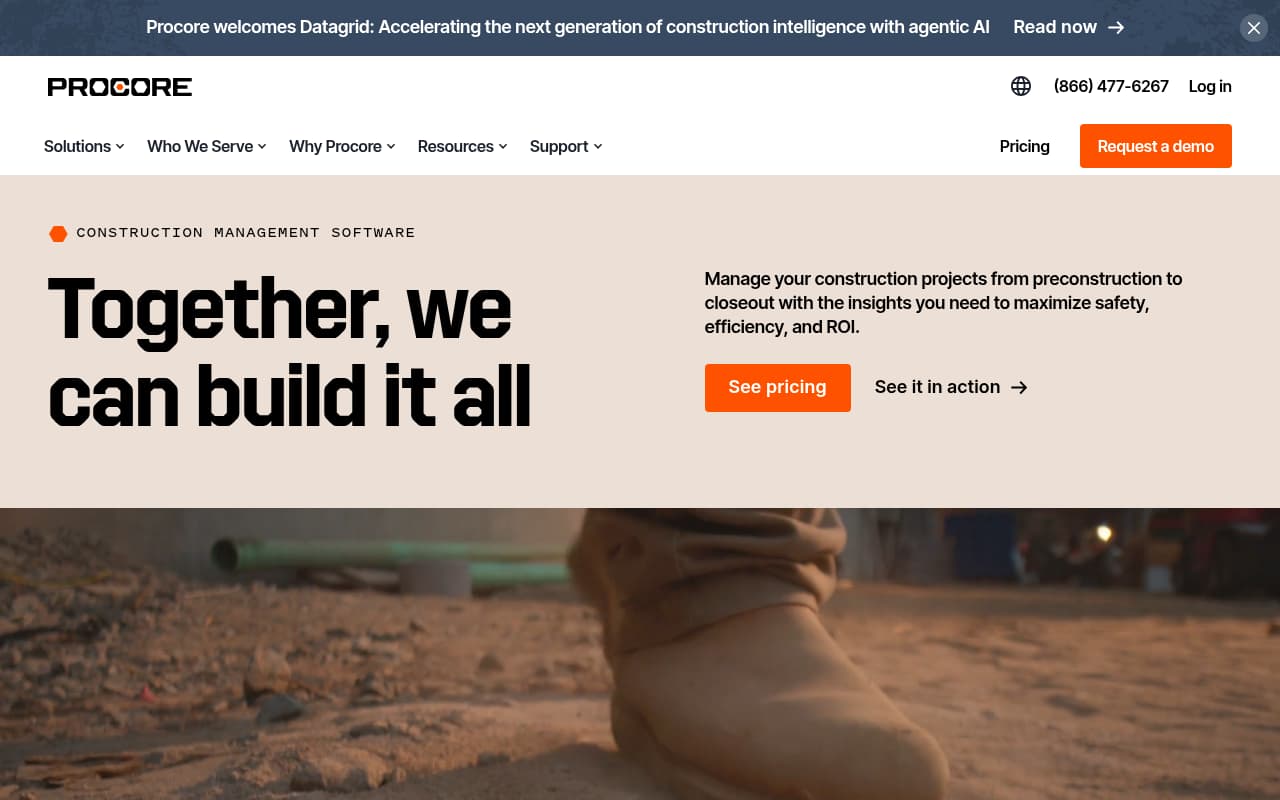
Procore is the most widely adopted construction project management platform in North America, with safety tools integrated as part of its Quality & Safety module. For subcontractors already on Procore, adding the safety module is the path of least resistance — your observations, incidents, and inspections live alongside RFIs, submittals, and daily logs in one ecosystem. The unlimited user model means your entire field team gets access without per-seat costs.
The Safety Hub, launched in 2025, is Procore's most significant safety-specific innovation. It uses AI to analyze observations, inspections, and incidents across projects and surface leading indicators — patterns that suggest where the next injury might happen. For subcontractors running multiple job sites, this kind of cross-project visibility is genuinely valuable and difficult to replicate manually.
The challenge for subcontractors is cost and scope. Procore prices based on Annual Construction Volume, and the safety module isn't sold separately — you're buying a full project management platform. For a specialty subcontractor doing $10M/year in revenue who only needs safety inspections and OSHA compliance, spending $10,000–$30,000/year on Procore is hard to justify when purpose-built safety tools cost a fraction of that. The learning curve is also real: Procore requires meaningful onboarding time that small field teams rarely have available.
Key Features
Pros
- Unlimited user licensing means every worker on a project gets access without per-seat cost anxiety — critical for subcontractors cycling crews through multiple sites
- If you already use Procore for project management, adding safety tools eliminates duplicate data entry and keeps everything in one platform
- AI-powered Safety Hub (launched 2025) surfaces near misses and high-risk patterns that manual tracking misses
Cons
- Pricing is opaque and tied to construction volume — subcontractors with $5–$20M in annual revenue may find the cost disproportionate to what they get from the safety module alone
- The safety tools are a module within Procore, not a standalone product — buying Procore just for safety is like buying a truck to use the cup holder
- Steep learning curve and significant onboarding investment that small subcontractor teams (under 30 people) rarely have time for
Verdict: The obvious choice if you already run Procore for project management. But buying Procore solely for safety tools is overkill for most subcontractors — the pricing, learning curve, and feature scope exceed what a specialty contractor needs.
HammerTech
Construction-only safety platform with deep permit workflows and unlimited user licensing
Best For
Mid-to-large subcontractors managing complex safety requirements across multiple GC-controlled job sites
Pricing
Custom quotes based on revenue and active job sites; HammerTech GO from ~$5,000/year; unlimited users and subcontractors included
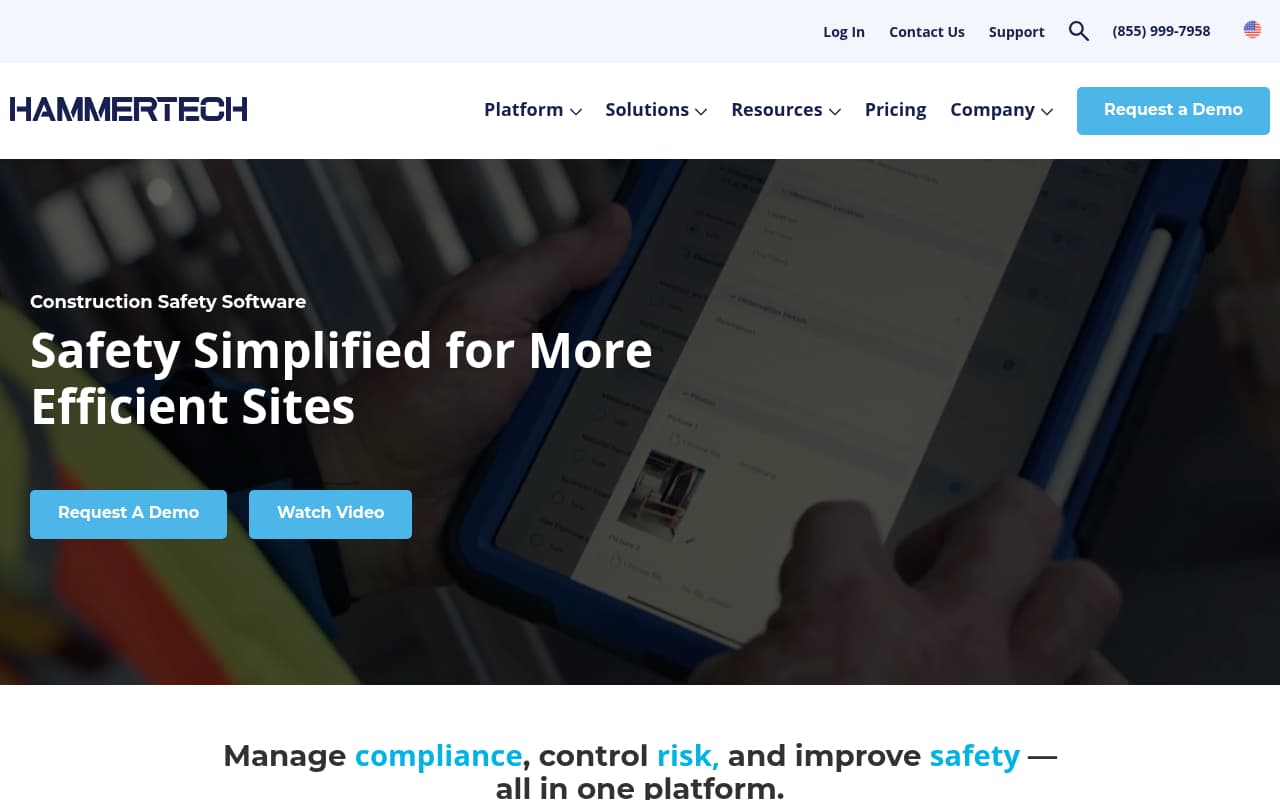
HammerTech is built exclusively for construction — unlike general-purpose inspection tools adapted for job sites. The platform's depth shows in its permit-to-work system, which uses configurable zones with digital check-in/check-out to ensure workers can't start work until permits are active and pre-start checklists are complete. For subcontractors working on sites with strict hot work, confined space, and height permits, this level of enforcement is meaningful.
The digital orientation capability is HammerTech's most distinctive feature for subcontractors. Workers can complete site-specific orientation — including video inductions, quizzes, and credential uploads — from their phone before arriving on-site. For subcontractors mobilizing crews to new GC-controlled sites, this eliminates the half-day of orientation downtime that typically costs you productive hours on day one. HammerTech reports that one in two workers completes induction before stepping onto the job site.
The main limitation for subcontractors is the mobile experience. Despite being marketed as a field-first platform, user reviews consistently flag the mobile app as sluggish, with reports of crashes during inspections and a general preference for desktop use. For a foreman doing a walk-through inspection at 6 AM, a slow mobile app is a deal-breaker. HammerTech GO (the pre-configured starter product at ~$5K/year) lowers the entry barrier, but the mobile gap remains a practical concern.
Key Features
Pros
- The pre-site digital orientation pipeline is a standout — over 3.6 million workers inducted through HammerTech, and half complete induction before setting foot on site
- Unlimited user pricing means no cost anxiety when your crew count swings from 40 to 80 workers between projects
- Native Procore integration syncs orientations, JHAs, and safety data in real time, so GCs using Procore see your safety data without manual exports
Cons
- Mobile app performance is a documented weakness — multiple user reviews report crashes, slow loading, and preferring desktop over mobile for data entry
- Analytics and reporting capabilities are limited without exporting to Power BI or similar tools — dashboard customization is constrained
- Quote-based pricing with no published rates makes it difficult to budget without a sales conversation
Verdict: The deepest construction-specific safety platform on this list, with genuinely differentiated orientation and permit workflows. Worth evaluating if you manage complex multi-trade sites — but test the mobile app yourself before committing, because field performance doesn't match the marketing.
BasinCheck
Flat-priced safety software with full offline capability — built for oilfield, proven in construction

Best For
Subcontractors who need OSHA compliance, offline audits, and predictable pricing without per-user fees — especially those crossing between oil & gas and construction work
Pricing
From $149/mo (flat team pricing — Starter: $149, Standard: $299, Pro: $599, Enterprise: $1,200+; no per-user fees)
BasinCheck was built for oilfield subcontractors — companies running crews across remote well sites, pipeline jobs, and plant turnarounds where cell service is unreliable and crew sizes change every week. That origin story translates directly to construction subcontractors who face the same challenges: rotating crews, remote job sites, OSHA compliance pressure, and tight margins that can't absorb unpredictable software costs.
The offline capability is where BasinCheck genuinely separates from the field. This isn't cache-based offline where you can view previously loaded data — it's a full offline-first architecture. Your foreman can create a complete safety inspection, log an incident with photos and GPS coordinates, and build a JSA from scratch, all without any internet connection. When connectivity returns, everything syncs with cryptographic verification (ECDSA signatures) that proves the data hasn't been tampered with. For subcontractors working in basements, tunnels, or rural sites, this isn't a nice-to-have — it's the difference between getting inspections done on schedule or falling behind.
The honest trade-off is construction-specific depth. BasinCheck's template library is strongest for oil and gas workflows (well site inspections, hot work permits, H2S safety). Construction-specific templates for scaffolding, crane operations, and concrete work are available but not as mature as what you'd find in a construction-native platform like HammerTech or Procore. For subcontractors who work across both industries — mechanical contractors doing plant turnarounds and commercial construction, for example — BasinCheck covers both without needing separate platforms.
Key Features
Pros
- Flat pricing ($149–$599/mo) means your software cost stays fixed whether you have 20 or 80 workers — no surprises when you mobilize extra crews for a project
- True offline-first architecture — create complete audits, incidents, and JSAs without cell service, with cryptographically signed verification on sync (not just cached view-only data)
- OSHA compliance is built into the workflow — incidents auto-classify, 300 logs auto-generate, and corrective actions auto-create from failed audit items
Cons
- Originally built for oil and gas — construction-specific templates (scaffolding inspections, crane checklists, concrete pour permits) are expanding but not as deep as construction-native platforms
- Newer to the construction market than established players like Procore or HammerTech — smaller construction-specific customer base
- No built-in worker orientation or certification tracking module — you need to manage those processes separately
Verdict: The strongest choice for subcontractors who need offline capability, OSHA compliance automation, and predictable flat pricing. Especially compelling for contractors who work across both oil & gas and construction — one platform covers both. Construction-specific templates are expanding but not yet as deep as construction-native tools.
Try BasinCheck Free for 7 Days
Check BasinCheck plan limits and pricing against your requirements.
Start Free TrialSafetyCulture (iAuditor)
The most widely adopted mobile inspection app with a massive template library

Best For
Small subcontractor teams that want a free starting point and access to thousands of pre-built construction inspection templates
Pricing
Free plan (up to 10 users); Premium from ~$24/user/mo billed annually; Enterprise custom pricing
SafetyCulture (formerly iAuditor) is the most recognizable name in mobile inspections, used by over 75,000 organizations across construction, manufacturing, and services. For subcontractors, the appeal is immediate: a free plan for up to 10 users and a template library with over 1,000 construction-specific checklists. You can run a JSA, a toolbox talk, or a scaffolding inspection on day one without building a single form.
The mobile app is genuinely well-designed for field use. Inspections are fast to complete, photo capture is integrated, and the interface is intuitive enough that crew members with minimal tech experience can complete checklists without training. For subcontractors whose biggest challenge is getting workers to actually use digital tools instead of paper, SafetyCulture's low friction matters more than feature depth.
The limitation is what SafetyCulture doesn't do. It's an inspection and observation platform — not a safety management system. There's no OSHA 300 log generation, no automated incident classification, and no corrective action workflow that ties findings to assigned fixes with deadlines. Subcontractors who need compliance coverage beyond inspections will either supplement SafetyCulture with manual processes or eventually migrate to a platform that handles the full safety lifecycle. The 3-device cap per user also creates friction on sites where workers share tablets.
Key Features
Pros
- Free plan supports up to 10 users — legitimate way for a small subcontractor crew to go digital with zero financial risk
- Largest template library in the space — you can find pre-built JSAs, toolbox talks, scaffolding inspections, and OSHA hazard checklists without building from scratch
- Mobile app is polished and intuitive — field workers learn it quickly, which matters when your crew has five minutes of patience for new software
Cons
- Per-user pricing makes it expensive as crews grow — a 50-person subcontractor at $24/user/month pays $1,200/month, and adding temporary workers for a project spike inflates the bill
- No OSHA 300 log generation, no automated incident classification, no corrective action workflows — it is an inspection tool, not a safety management system
- Offline mode is limited to syncing previously downloaded templates — you cannot create new inspection types or templates offline, which limits field flexibility
Verdict: The best free starting point for small subcontractor crews who need mobile inspections fast. The template library is unmatched. But the lack of OSHA compliance features and per-user pricing make it a stepping stone, not a long-term safety management solution.
SiteDocs
Safety platform with construction-grade certification tracking and subcontractor onboarding

Best For
Subcontractors who need to manage worker certifications, trade qualifications, and GC-required onboarding documentation across multiple sites
Pricing
From ~$29/user/mo (Basic); Pro at $40+/user/mo with up to 400 external worker seats; annual billing required
SiteDocs differentiates itself through worker certification management — the administrative burden that most subcontractors handle with spreadsheets and reminder emails. The platform tracks every credential (fall protection, confined space, crane operator, first aid, H2S Alive) with automatic expiry dates and sends renewal reminders before certifications lapse. For subcontractors managing 50+ workers across multiple GC-controlled sites, this alone can save hours of administrative work per week.
The QR code verification system is particularly valuable for the GC-subcontractor relationship. When your workers arrive on-site, the GC's safety coordinator scans a QR code and instantly sees current certifications, orientation status, and compliance documentation. This eliminates the paper-shuffling that typically delays mobilization and demonstrates to GCs that your safety documentation is organized — a competitive advantage when bidding for work.
The trade-off is cost predictability and compliance depth. SiteDocs uses per-user pricing starting at ~$29/user/month, which creates the same fluctuation problem as other per-seat models. Users also report significant renewal price increases (28–40%), which makes multi-year budgeting difficult. On the compliance side, SiteDocs doesn't generate OSHA 300 logs or classify incidents automatically — subcontractors who need audit-ready OSHA documentation will need supplementary processes.
Key Features
Pros
- Certification tracking is the standout — automatically monitors expiry dates for fall protection, first aid, crane operator, and trade-specific qualifications with renewal reminders before they lapse
- The QR code verification system lets GCs instantly confirm your workers' credentials on-site, which reduces mobilization delays and builds trust with prime contractors
- External worker seats (up to 400 in Pro) let your subcontractors and temporary workers access the system without full licenses, keeping costs manageable for the supply chain
Cons
- Per-user pricing creates unpredictable costs for subcontractors with rotating crews — a 50-person team is $1,450+/month at the Basic tier, and users report renewal price increases of 28–40%
- No OSHA 300 log generation or automated incident classification — compliance gaps for subcontractors in OSHA-regulated work
- The web admin interface is clunky for external users (subs navigating the portal), and admins cannot edit location data once a form is submitted
Verdict: The best choice for subcontractors whose primary pain point is worker certification management and GC credential verification. The QR code system is a genuine differentiator. But per-user pricing with reported renewal increases makes long-term costs unpredictable.
Safesite
Construction-first safety app with a generous free tier and OSHA recordkeeping
Best For
Small subcontractors who want a free safety app with built-in OSHA compliance features — not just inspections
Pricing
Free plan with inspections, hazard reporting, incident reports, and safety scorecard; Premium at $20/user/mo ($16 billed annually)
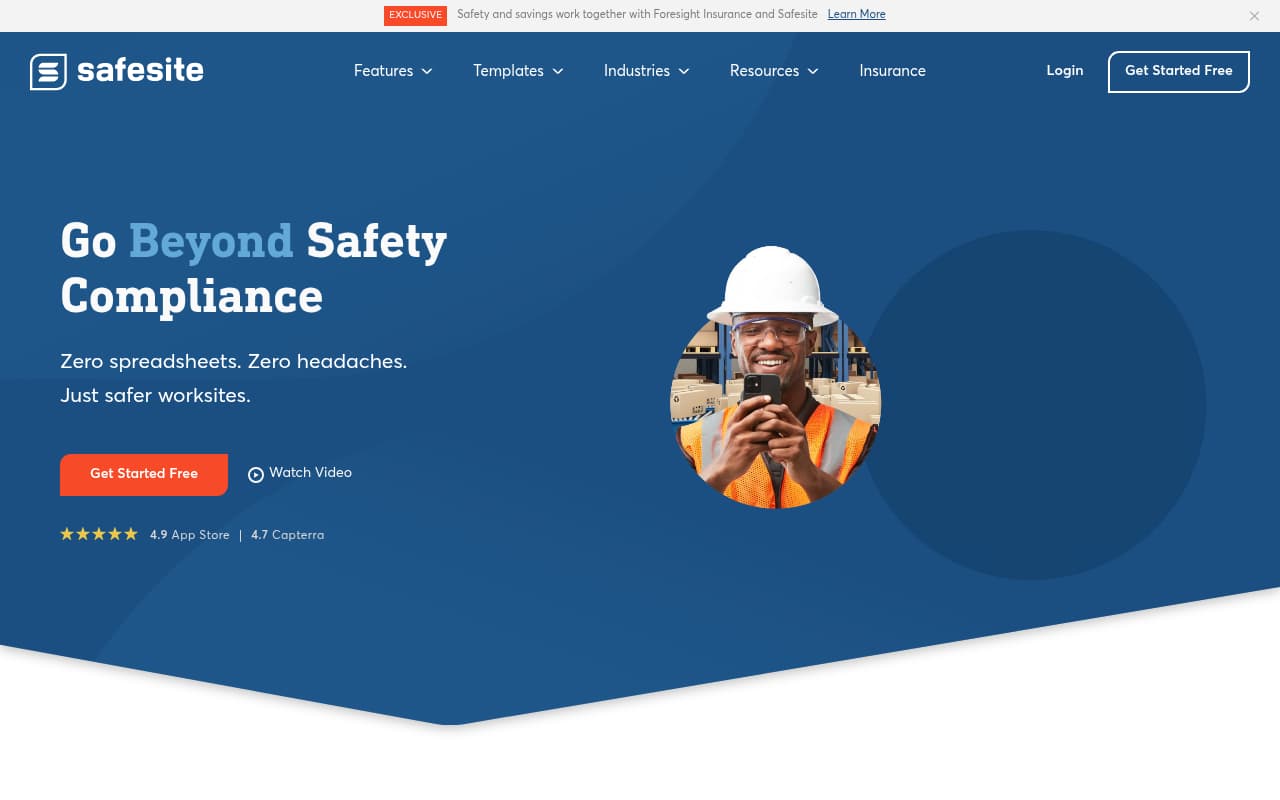
Safesite is purpose-built for construction safety — not a general inspection platform with construction templates bolted on. The platform claims to reduce incidents by up to 57% and includes hazard reporting, inspections, incident management, and a safety scorecard in its free tier. For small subcontractors, this is the only platform on this list where you get genuine safety management functionality — not just inspection checklists — without paying anything.
The OSHA compliance capability sets Safesite apart from free-tier competitors. While SafetyCulture's free plan gives you inspections, Safesite's free plan includes incident reporting and the safety scorecard. The Premium tier ($20/user/month) adds OSHA recordkeeping with automatic compliance report generation — a feature most competitors either don't offer or gate behind enterprise pricing. Notably, OSHA has accepted Safesite inspection workflows as part of corrective action plans, which is a meaningful validation of the platform's compliance depth.
The trade-off is ecosystem breadth. Safesite has fewer integrations than SafetyCulture, Procore, or HammerTech, which means your safety data lives in a silo if you use other construction software for project management, scheduling, or document control. For subcontractors who only need a safety-specific tool, this isn't an issue. But for those managing complex workflows across multiple platforms, the lack of native integrations creates manual data transfer work.
Key Features
Pros
- The most generous free tier on this list — custom inspections, hazard reporting, incident reports, and a safety scorecard are all included at no cost, giving small subs real functionality without paying
- One of the few platforms that includes OSHA recordkeeping in its feature set — not as a manual export, but as built-in report generation for compliance documentation
- Construction-first design rather than a general inspection tool adapted for job sites — workflows match how subcontractors actually do safety in the field
Cons
- Limited third-party integrations — no native Procore connection, fewer API options than larger platforms, which creates data silos if you use other construction software
- Predictive analytics and advanced features are locked behind the Premium tier — the free plan covers basics but doesn't provide the trend analysis that helps prevent incidents
- Smaller vendor than SafetyCulture or Procore — less ecosystem breadth, smaller user community, and less certainty about long-term product roadmap
Verdict: The best free safety app for small construction subcontractors who need more than just inspections. OSHA recordkeeping, hazard management, and incident reporting in the free tier is a legitimately strong offering. Limited integrations and smaller vendor scale are the main trade-offs.
SafetyAmp
Highly configurable safety platform with flat annual pricing and IoT integration
Best For
Mid-size subcontractors (50–500 employees) who need a configurable safety platform that adapts to their specific workflow requirements
Pricing
Champion plan from $4,800/year (flat); Team and Enterprise plans with custom quotes; free trial available
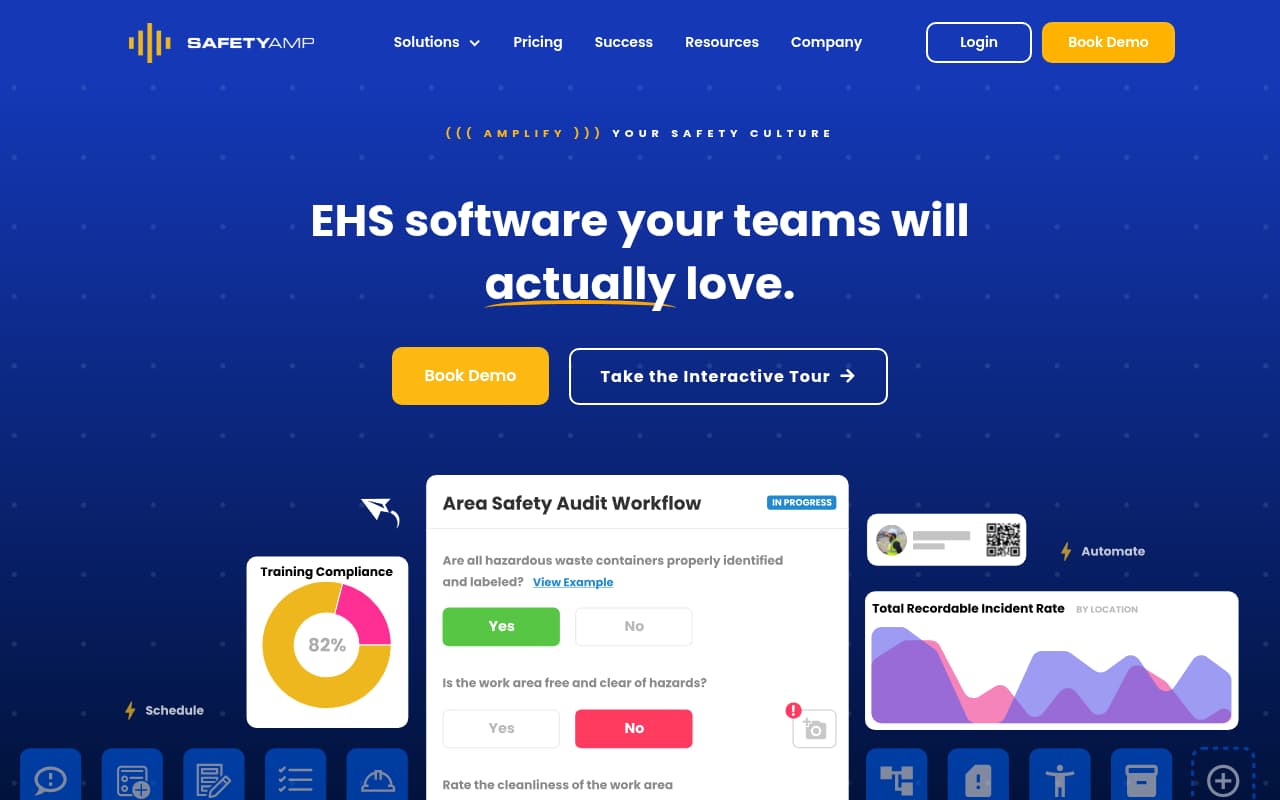
SafetyAmp positions itself as a configurable safety platform — the emphasis is on adapting the tool to your workflow rather than adapting your workflow to the tool. For subcontractors with specific safety processes that don't fit the templates of generic inspection apps, this configurability is the core value proposition. Users consistently highlight the ability to customize inspections, incident forms, and corrective action workflows as a primary reason they chose SafetyAmp over alternatives.
The flat annual pricing at $4,800/year for the Champion plan is competitive for mid-size subcontractors. Compare that to SafetyCulture at $24/user/month for a 50-person team ($14,400/year) or SiteDocs at $29/user/month ($17,400/year) — SafetyAmp delivers comparable functionality at a fraction of the per-user cost. The IoT integration capability is also unique at this price point, allowing subcontractors to connect safety monitoring devices and trend environmental data across sites.
The main concern for construction subcontractors is field usability. SafetyAmp's mobile apps exist for Android and iOS, but user reviews consistently flag offline functionality as a pain point and the overall mobile experience as secondary to the desktop platform. For a foreman running inspections from a phone at a job site with intermittent connectivity, this is a practical limitation. The reporting constraints — difficulty generating specific analytics without external tools — also mean you won't get the dashboard visibility that safety managers expect for tracking trends across projects.
Key Features
Pros
- Flat annual pricing ($4,800/year entry) with no per-user fees — cost-effective for mid-size subcontractors compared to per-seat models that scale to $10,000+ at similar headcounts
- Highly configurable — users consistently praise the ability to customize every form, audit, and inspection workflow to match their specific safety processes, not the other way around
- IoT device integration for trending safety and environmental metrics across sites is unique at this price point — useful for subcontractors with environmental monitoring requirements
Cons
- Offline functionality is a documented weakness — user reviews flag challenges with field use in low-connectivity environments, which is common on construction sites
- Reporting and analytics are limited — users report difficulty pulling specific statistics and the inability to combine data across certain dimensions without external BI tools
- No searchable knowledge base — you must contact support for guidance rather than finding answers independently, which slows down onboarding for new team members
Verdict: A strong value proposition for mid-size subcontractors who need configurability and flat pricing. The $4,800/year entry point beats per-user competitors on cost. But the offline and mobile limitations make it a better fit for teams that do most of their data entry from an office or truck, not from the field.
GoCanvas
Mobile forms platform with workflow automation for digitizing paper-based construction processes

Best For
Subcontractors replacing multiple paper-based processes (safety, operations, HR) with one digital forms platform
Pricing
Pro at $49/user/mo (annual, 3-user minimum); Max at $79/user/mo; no free tier
GoCanvas is a mobile forms platform that replaces paper processes across an entire construction operation. For subcontractors, the appeal is consolidation: instead of buying separate tools for safety inspections, daily logs, work orders, and HR forms, GoCanvas handles everything with one subscription and one form builder. The pre-built construction template library includes jobsite safety checklists, subcontractor compliance notices, and pre-construction meeting forms.
The conditional logic engine is GoCanvas's primary technical differentiator. Inspection forms can branch based on responses — a failed item triggers a corrective action form, a high-severity finding escalates to a supervisor notification, and risk scores calculate automatically based on answers. For subcontractors who invest time in building well-designed form workflows, GoCanvas provides genuine automation that reduces the back-and-forth between field and office.
The problem for subcontractors is value per dollar. At $49/user/month (Pro) to $79/user/month (Max) with no free tier and a 3-user minimum, GoCanvas is significantly more expensive per seat than every other option on this list. And because it's fundamentally a forms platform — not a safety management system — you're paying premium prices for a tool that doesn't generate OSHA logs, doesn't classify incidents, and doesn't track safety trends. The form builder also has a steeper learning curve and a more dated interface than newer competitors, which matters when your field team's patience for new software is measured in minutes.
Key Features
Pros
- Strong conditional logic means forms adapt based on answers — useful for inspections where different hazard types trigger different follow-up sections and escalation paths
- Covers more than safety — HR forms, work orders, timesheets, and customer documents in one platform appeals to subcontractors who want a single tool for all paper replacement
- Pre-built construction forms (jobsite safety checklists, subcontractor compliance notices, pre-construction meeting checklists) get you started without building everything from scratch
Cons
- The most expensive per-user option on this list at $49/user/month with a 3-user minimum — a 30-person subcontractor pays $1,470/month, which exceeds the cost of purpose-built safety platforms
- No built-in OSHA compliance (300 logs, incident classification, corrective actions), no safety scoring, no trend analytics — it is a forms tool, not a safety system
- The form builder has a steep learning curve, and the UI feels dated compared to newer competitors — users report difficulty building complex workflows without prior form-builder experience
Verdict: A capable forms platform for subcontractors who want to digitize everything (not just safety) in one tool. But the premium per-user pricing combined with the lack of safety-specific compliance features makes it the hardest option to justify on this list for subcontractors whose primary need is safety management.
Side-by-side feature comparison
| Software | Best For | Starting Price | Pricing Model | OSHA Compliance | Offline Mode | Mobile Quality | Construction Focus |
|---|---|---|---|---|---|---|---|
| Procore | Large subs on Procore | ~$4,000+/year | Volume-based | Partial | Cache-based | Good | Full platform |
| HammerTech | Mid-large GC sites | ~$5,000/year | Revenue-based | Partial | ✓ (inspections) | Weak | Construction-only |
| BasinCheck | Offline + OSHA compliance | $149/mo flat | Flat monthly | ✓ (300/300A/301) | ✓ (full offline-first) | Yes | O&G + Construction |
| SafetyCulture (iAuditor) | Small teams (free) | Free / $24/user/mo | Per-user | No | Partial | Excellent | Multi-industry |
| SiteDocs | Cert tracking | ~$29/user/mo | Per-user | No | Yes | Good | Construction + trades |
| Safesite | Free safety app | Free / $20/user/mo | Per-user | ✓ (Premium) | Yes | Good | Construction-first |
| SafetyAmp | Configurable workflows | $4,800/year | Flat annual | Partial | Weak | Average | Multi-industry |
| GoCanvas | Paper replacement | $49/user/mo | Per-user | No | Partial | Average | General forms |
How we evaluated these tools
We evaluated 20+ safety management and inspection platforms with a focus on what matters most to construction subcontractors — companies that manage rotating crews, work on GC-controlled sites, and need OSHA compliance without enterprise budgets:
- Subcontractor pricing reality — Does the pricing model work for companies with fluctuating crew sizes? Per-user fees that scale linearly with headcount create budget unpredictability that flat-price and volume-based models avoid.
- Field usability — Can a foreman complete a safety inspection from a phone in under two minutes? Construction safety software that requires a laptop or desktop defeats the purpose for field-heavy teams.
- Offline capability — Does the platform function at job sites without reliable cell service? Construction subcontractors work in basements, tunnels, rural sites, and concrete structures where connectivity is intermittent at best.
- OSHA compliance depth — Does the tool generate OSHA 300/300A forms, classify incidents automatically, and maintain audit-ready records, or does compliance require manual exports and spreadsheet work?
- Construction workflow fit — Is the platform designed for construction (orientations, permits, certifications, toolbox talks) or is it a generic tool with construction templates added?
- GC compatibility — Can the platform share data with the general contractor's systems (Procore, PlanGrid, etc.) or does it create documentation silos?
Product information was gathered from official vendor websites, verified user reviews on G2, Capterra, and GetApp, and where possible, hands-on evaluation. Pricing was confirmed through published pricing pages or recent (2025–2026) review sources.
Frequently Asked Questions
What is the best construction safety software for subcontractors?
It depends on your size and primary need. For subcontractors who need offline capability and OSHA compliance at a predictable price, BasinCheck offers flat monthly pricing and full offline-first functionality. For large subs already on Procore, adding the safety module keeps everything in one platform. Safesite offers the best free tier with actual safety management features (not just inspections). And SiteDocs is the strongest choice if worker certification tracking is your primary pain point.
How much does construction safety software cost for subcontractors?
Costs range from free (SafetyCulture and Safesite free tiers) to $60,000+/year (Procore for large contractors). Per-user platforms typically cost $20–$49/user/month — a 40-person team pays $960–$1,960/month. Flat-priced alternatives include BasinCheck ($149–$599/month) and SafetyAmp ($4,800/year). The total cost depends heavily on crew size and the pricing model: per-user pricing creates variable monthly costs, while flat and volume-based models provide predictability.
Do subcontractors need different safety software than general contractors?
Often, yes. GCs need tools that manage multiple subcontractors across a project — orientation compliance, trade coordination, and site-wide safety metrics. Subcontractors need tools that work for their own crews: fast mobile inspections, OSHA recordkeeping for their employees, certification tracking, and pricing that works with fluctuating headcount. Platforms like Procore and HammerTech are built around the GC workflow. Tools like BasinCheck, SafetyCulture, and Safesite are better suited to subcontractor-specific needs.
Can construction safety software work offline on job sites?
Capability varies widely. BasinCheck offers full offline-first functionality — you can create complete audits, incidents, and JSAs without any connectivity. SiteDocs and Safesite support offline inspections with automatic sync. SafetyCulture offers limited offline (view previously downloaded templates). Procore uses cache-based offline (view recent items only). HammerTech supports offline inspections but users report mobile performance issues. Always test offline capability on your specific devices before committing.
Is construction safety software required by OSHA?
OSHA doesn't require specific software, but it does require recordkeeping: maintaining OSHA 300 logs, reporting incidents within specific timeframes, and having documentation available for inspections. Software automates these requirements — instead of manually tracking incidents in spreadsheets and generating forms by hand, platforms like BasinCheck and Safesite generate OSHA-compliant records automatically. Given that the average OSHA serious violation penalty exceeds $16,000, the cost of safety software is small compared to the cost of incomplete documentation.
What is the best construction safety app for field crews?
For crews that live on their phones, the strongest construction safety apps are SafetyCulture (fastest inspection UX, best template library), BasinCheck (full offline capability and OSHA recordkeeping built in), and Safesite (best free safety app). The deciding factors are offline behavior on jobsites with poor signal, whether the app feeds real OSHA records or just produces PDFs, and whether pricing survives crew-size swings. Test any construction safety app at an actual jobsite - basement, tunnel, or rural site - before rolling it out.
Final verdict
Construction subcontractors operate in a gap that most safety software vendors don't address directly: you need GC-level compliance documentation without GC-level budgets, enterprise features without enterprise complexity, and field-ready tools that work on job sites where your phone might not have signal. The eight tools on this list represent the realistic options in 2026, from enterprise project management platforms to free mobile inspection apps.
Procore and HammerTech are the strongest choices for larger subcontractors already embedded in GC ecosystems. BasinCheck stands out for subcontractors who need offline capability, OSHA compliance automation, and predictable flat pricing — especially those who work across both construction and oil & gas. SafetyCulture and Safesite offer the best free starting points, with Safesite providing more safety-specific depth in its free tier. SiteDocs is the best option if worker certification management is your primary need.
The worst option is staying on paper. A single OSHA serious violation costs over $16,000, and incomplete documentation is the most common reason subcontractors fail safety audits. Pick the tool that matches your crew size, budget, and primary compliance needs — then actually deploy it to your field teams. Software that sits in the safety manager's laptop doesn't protect anyone.