
Toolbox talks happen before every shift on every oilfield job site — a 5-to-15-minute safety briefing covering the specific hazards crews will face that day. When they work, they're the single most effective daily safety touchpoint your organization has. When they don't — when a supervisor reads the same generic slip-and-fall talk for the third week running while half the crew is on their phone — they're a wasted compliance checkbox that protects nobody.
The problem with paper-based toolbox talks is threefold: there's no verifiable record of who actually attended, no way to prove the topic was relevant to the day's work, and no data trail showing your organization conducts them consistently. During an OSHA inspection or operator audit, "we do toolbox talks every morning" means nothing without documentation. A toolbox talk app solves the documentation problem — but the best ones go further by providing relevant pre-written content, tracking crew attendance with signatures, and connecting briefings to your broader audit and JSA workflows.
We evaluated each tool below on what matters for field safety teams running daily briefings: quality and relevance of pre-written topic libraries (especially for oil and gas operations), crew attendance tracking with individual acknowledgment, offline capability for remote well sites and pipeline locations, speed of delivery (a toolbox talk app that takes longer than the talk itself defeats the purpose), and integration with audit, JSA, and incident reporting systems.
Need content to run a talk today? Browse our free library of toolbox talk topics — talking points for H2S, hot work, LOTO, and 19 more, no signup required — then pick a tool below to deliver and document them.
| # | Product | Best for | Pricing |
|---|---|---|---|
| 1 | BasinCheck | Oil and gas field crews needing toolbox talks connected to audit findings, JSA hazards, and incident trends | From $149/mo (flat team pricing, unlimited users on Pro) |
| 2 | SafetyCulture (iAuditor) | Multi-industry teams wanting a template library for toolbox talks alongside inspections | Free plan available; Premium from $24/user/mo billed annually |
| 3 | Safesite | Small contractors wanting a free toolbox talk solution with basic attendance tracking | Free basic plan; Premium from $16/user/mo |
| 4 | Safety Meeting App | Companies wanting a turnkey pre-written talk library so supervisors never have to create content | $100/mo flat (unlimited users) |
| 5 | GoCanvas | Teams needing customizable toolbox talk forms with conditional logic and automated dispatch | Quote-based (previously from $49/user/mo) |
| 6 | 1Life Workplace Safety | Construction companies wanting toolbox talks bundled with inspection, incident, and training management | Quote-based (custom pricing by company size) |
| 7 | Weever Apps | Manufacturing and industrial teams wanting toolbox talks as part of a connected worker platform | Quote-based (custom pricing by deployment size) |
BasinCheck
O&G safety platform with toolbox talks integrated into audit and JSA workflows

Best For
Oil and gas field crews needing toolbox talks connected to audit findings, JSA hazards, and incident trends
Pricing
From $149/mo (flat team pricing, unlimited users on Pro)
BasinCheck approaches toolbox talks differently from standalone briefing apps. Instead of a generic topic library that rotates through the same 52 talks year after year, BasinCheck generates briefing topics from your own safety data — recent audit findings, active JSA hazards, open corrective actions, and incident trends. If your last three audits flagged housekeeping issues at the wellhead, that becomes a toolbox talk topic automatically. If a JSA identifies H2S exposure risk for tomorrow's job, the briefing content reflects that specific hazard.
Attendance tracking captures individual digital signatures from every crew member, timestamped and GPS-tagged. This creates a verifiable record that each person was present and acknowledged the safety briefing — not just a single sign-in sheet that could have been passed around after the fact. The entire workflow operates offline, which is non-negotiable for well sites and remote pipeline locations where cellular service doesn't exist.
The trade-off is scope. BasinCheck's toolbox talk capability is integrated into its broader safety platform (audits, JSAs, incidents, corrective actions). If all you need is a standalone app to deliver pre-written talks with a sign-in sheet, you're paying for capabilities you won't use. But if you want briefings that actually respond to your safety data and connect to the rest of your compliance workflow, that integration is the point.
Key Features
Pros
- Only tool tested that connects toolbox talk topics to live audit findings and JSA hazards — briefings are driven by what's actually happening on your job sites, not a generic rotation
- Full offline capability — supervisors can deliver talks, capture attendance, and collect signatures at remote well sites with zero connectivity
- Flat pricing ($149-$599/mo) means adding seasonal crews or subcontractors doesn't spike your software bill
Cons
- Pre-written topic library is smaller than dedicated toolbox talk platforms like Safety Meeting App — focused on O&G rather than broad industry coverage
- Newer to market — less brand recognition than established platforms like SafetyCulture
- No standalone toolbox talk plan — talks are part of the broader safety platform, which may be more than some teams need
Verdict: The strongest option for teams that want toolbox talks driven by real safety data rather than a generic topic rotation. Best fit for O&G contractors already managing audits, JSAs, and incidents who want briefings connected to their actual risk profile.
SafetyCulture (iAuditor)
Widely adopted inspection platform with training and briefing tools

Best For
Multi-industry teams wanting a template library for toolbox talks alongside inspections
Pricing
Free plan available; Premium from $24/user/mo billed annually
SafetyCulture handles toolbox talks through its Training module, which lets safety managers create or assign briefing content, set completion deadlines, and track crew acknowledgment. The platform's biggest advantage is breadth — there are hundreds of pre-built templates covering everything from slip-and-fall prevention to chemical handling, and the community library adds thousands more created by other organizations.
The workflow treats toolbox talks as micro-training sessions rather than live briefing events. A safety manager assigns a talk topic to a crew or group, crew members review the content on their phones, and the system tracks who completed it and when. This works well for organizations that want documented evidence of safety communication, but it shifts the format from a live group discussion to individual content consumption.
Where SafetyCulture falls short for traditional toolbox talk delivery is the live briefing experience. There's no "supervisor stands in front of the crew and delivers a talk" workflow with real-time attendance capture. The training module is asynchronous by design. If your toolbox talks are a daily ritual where the supervisor reads the topic and the crew discusses hazards face-to-face, SafetyCulture's approach is a format shift your crews may resist.
Key Features
Pros
- Largest template ecosystem — hundreds of pre-built briefing templates covering construction, manufacturing, oil and gas, utilities, and general workplace safety
- Training module lets you assign toolbox talks as micro-courses with completion tracking and due dates
- Free plan gives small teams a no-cost starting point for digital toolbox talks before committing to paid tiers
Cons
- Per-user pricing ($24/user/mo) scales quickly — a 40-person crew runs $960/month, and rotating seasonal workers each need a seat
- Toolbox talks are part of the training module, not a dedicated briefing workflow — setup requires some configuration to match a traditional talk-and-sign format
- Offline mode caches previously synced content but doesn't support creating new briefing sessions from scratch without connectivity
Verdict: A strong choice for teams that want to track toolbox talk completion as part of a broader training program. Less suited for crews that run traditional live briefings and need real-time attendance capture at the point of delivery.
Safesite
Free safety management platform with built-in toolbox talk library
Best For
Small contractors wanting a free toolbox talk solution with basic attendance tracking
Pricing
Free basic plan; Premium from $16/user/mo
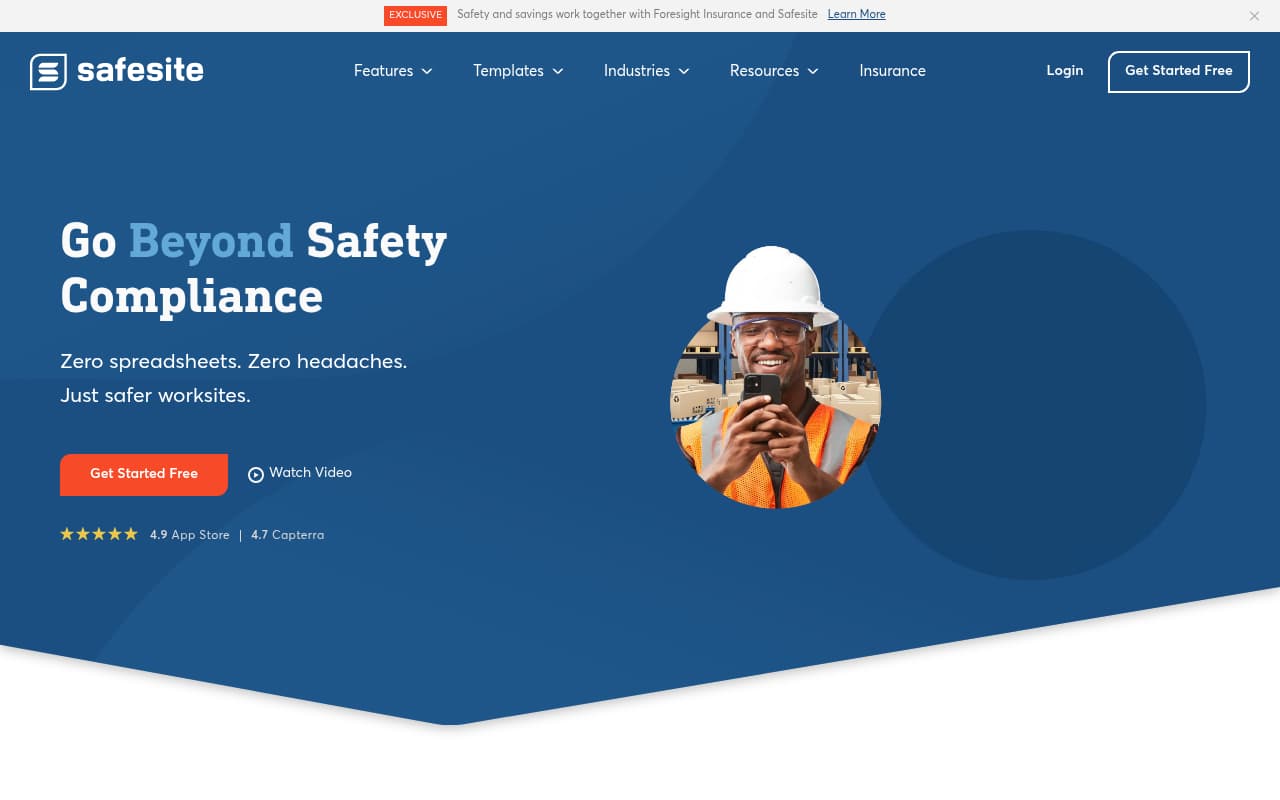
Safesite is one of the few safety platforms that offers genuinely functional toolbox talks on a free plan. The built-in topic library provides pre-written talks covering standard safety themes — fall protection, electrical safety, PPE use, heat stress, chemical handling — and the delivery workflow is straightforward: select a topic, present it to the crew, capture attendance with digital sign-in, and log the completed session.
The safety score dashboard is a useful feature for organizations tracking toolbox talk consistency. It aggregates completion rates across crews and time periods, giving safety managers visibility into which crews are conducting briefings regularly and which ones are falling behind. This metric-driven approach helps enforce the discipline of daily briefings without requiring manual follow-up.
The limitation is depth and specificity. Safesite's topic library covers general safety themes well, but it lacks the industry-specific content that oil and gas crews need — topics like H2S awareness, hot work permits, confined space entry procedures, or wellhead hazard identification aren't part of the standard library. Teams in specialized industries will need to supplement Safesite's generic content with their own topics, which partially defeats the convenience of pre-written talks.
Key Features
Pros
- Free plan includes toolbox talk delivery and attendance tracking — genuinely usable at zero cost for small teams getting started with digital briefings
- Pre-written topic library covers common safety themes without requiring safety managers to write content from scratch
- Mobile-first design means field supervisors can launch a talk, capture attendance, and move on in under two minutes
Cons
- Pre-written topic library is general-purpose — limited O&G-specific content for well service, pipeline, or drilling operations
- Free plan has feature limitations that push growing teams toward the $16/user/mo premium tier, which adds up with larger crews
- Offline support is limited — talks require connectivity for delivery and attendance capture in most workflows
Verdict: The best free option for small teams that need basic digital toolbox talks without budget commitment. Outgrown quickly by teams that need industry-specific content or offline capability at remote job sites.
Try BasinCheck Free for 7 Days
Check BasinCheck plan limits and pricing against your requirements.
Start Free TrialSafety Meeting App
Dedicated toolbox talk platform with the largest pre-written topic library
Best For
Companies wanting a turnkey pre-written talk library so supervisors never have to create content
Pricing
$100/mo flat (unlimited users)
Safety Meeting App is the only platform on this list built exclusively for toolbox talks, and its pre-written content library is its defining advantage. With over 700 topics organized across 40+ categories — including oil and gas, construction, electrical, chemical handling, ergonomics, and seasonal hazards — supervisors can deliver a different relevant talk every day for years without repeating content or writing anything themselves.
The scheduling system lets safety managers plan talk rotations weeks or months in advance, auto-assign topics to specific crews or locations, and track completion across the organization. Monthly content updates add new topics tied to seasonal risks (heat stress in summer, cold weather hazards in winter) and regulatory changes, so the library stays current without manual maintenance.
The trade-off is isolation. Safety Meeting App does one thing — toolbox talks — and does it well, but it doesn't connect to any broader safety workflow. Your toolbox talk topics aren't informed by recent audit findings, open corrective actions, or JSA hazards. They're drawn from a generic library that doesn't know anything about your specific operations. For organizations that want briefings driven by their own safety data, this disconnect limits the tool's value as a risk communication channel.
Key Features
Pros
- Largest pre-written topic library of any platform tested — 700+ talks covering construction, oil and gas, manufacturing, utilities, healthcare, and general industry
- Flat pricing at $100/month with unlimited users eliminates per-seat cost anxiety for crews of any size
- Supervisors never need to write or prepare content — select a topic from the library, deliver it, and capture attendance
Cons
- Standalone toolbox talk tool only — no integration with audit, JSA, or incident workflows, so briefing topics aren't informed by your actual safety data
- Pre-written content is generic by design — talks cover broad topics, not your site-specific hazards or this week's audit findings
- No offline mode — requires an internet connection to access talks and capture attendance, which is a problem at remote well sites
Verdict: The best pure-play toolbox talk solution with the deepest content library and flat pricing. Ideal for organizations that need a turnkey briefing program but don't need talks connected to audit or JSA workflows.
GoCanvas
Customizable mobile forms platform adaptable for toolbox talk workflows

Best For
Teams needing customizable toolbox talk forms with conditional logic and automated dispatch
Pricing
Quote-based (previously from $49/user/mo)
GoCanvas approaches toolbox talks as a mobile forms problem, and its conditional logic engine makes it the most customizable option for organizations that want complete control over their briefing format. A GoCanvas toolbox talk template can branch based on job type (drilling vs. workover vs. pipeline), automatically surface relevant hazard categories, require weather-condition acknowledgment, and route completed records to different compliance folders based on the crew or location.
The offline capability is genuine and reliable. Supervisors can pull up a toolbox talk form, deliver the briefing, capture individual crew signatures, attach photos of job site conditions, and log GPS coordinates — all without cell service. Everything syncs automatically when the device reconnects, with completed records dispatched to the configured destinations.
The gap is content. GoCanvas is a blank canvas — there's no pre-written topic library, no safety-specific content engine, and no connection to broader safety data. Your safety team needs to create every toolbox talk topic, load it into a template, and manage the topic rotation manually. For organizations with a dedicated safety department that produces their own briefing content, GoCanvas is a powerful delivery and documentation mechanism. For teams that need turnkey content, it's an empty shell that requires significant setup investment.
Key Features
Pros
- Most customizable toolbox talk format — conditional logic lets you branch talk content based on job type, weather conditions, or crew certifications
- Offline form completion works reliably — supervisors can deliver talks and capture signatures at remote locations without connectivity
- Automated dispatch routes completed talk records to safety managers, project folders, or compliance systems without manual file management
Cons
- Quote-based pricing makes cost comparison difficult — historically per-user pricing has been expensive for larger field crews
- Fundamentally a forms platform, not a safety tool — no pre-written topic library, so someone has to create all talk content from scratch
- No safety data integration — talk topics aren't informed by audit findings, incidents, or JSA hazards because GoCanvas doesn't have those modules
Verdict: The best option for organizations that create their own toolbox talk content and want maximum control over format and delivery. Not suitable for teams that need pre-written topics or data-driven briefing content.
1Life Workplace Safety
Bundled safety management platform with toolbox talk and training tools
Best For
Construction companies wanting toolbox talks bundled with inspection, incident, and training management
Pricing
Quote-based (custom pricing by company size)
1Life Workplace Safety bundles toolbox talks into a comprehensive safety management platform that also covers inspections, incident reporting, corrective actions, worker orientation, and training management. The integration is the value proposition — when a supervisor delivers a toolbox talk on fall protection, that data connects to the same system tracking fall-related inspection findings, incidents, and corrective actions across the organization.
The toolbox talk workflow includes a pre-built topic library, crew attendance tracking with digital signatures, and scheduling tools that let safety managers plan talk rotations across multiple job sites. The multi-site dashboard shows toolbox talk completion rates alongside other leading indicators, giving safety directors a single view of safety program health across the organization.
The challenge for small to mid-size contractors is platform scope. 1Life is built for organizations that want a single platform covering all safety management functions, and the pricing reflects that breadth. If your primary need is a toolbox talk app and you're already using other tools for audits and incidents, 1Life requires replacing your existing workflows — not just adding a toolbox talk layer. The construction focus also means that oil and gas teams will find the pre-built content skewed toward jobsite safety rather than wellhead, pipeline, or process safety topics.
Key Features
Pros
- Toolbox talks are integrated with inspections, incidents, and training — briefing data feeds into the same compliance system as everything else
- Worker orientation module lets you combine toolbox talks with new-hire safety training in a single platform
- Multi-site dashboard gives safety directors visibility into toolbox talk completion rates across all projects and crews
Cons
- Quote-based pricing with no published rates — requires a sales call, which typically signals higher price points for small contractors
- Primarily built for construction — oil and gas-specific toolbox talk topics and workflows are secondary to general construction safety
- Platform complexity may be excessive for teams that only need a simple toolbox talk delivery tool without the full safety management suite
Verdict: A solid choice for construction companies that want toolbox talks bundled with a full safety management suite. Less practical for teams that need a focused toolbox talk tool or O&G-specific briefing content.
Weever Apps
Connected worker platform with digital toolbox talks and frontline communication
Best For
Manufacturing and industrial teams wanting toolbox talks as part of a connected worker platform
Pricing
Quote-based (custom pricing by deployment size)
Weever Apps positions toolbox talks as one component of a connected worker platform that links frontline communication to standard operating procedures, work instructions, and equipment maintenance data. The premise is that a toolbox talk shouldn't exist in isolation — it should reference the specific SOPs and procedures that are relevant to the day's work, so crews aren't just hearing about hazards but are connected to the documented controls.
The toolbox talk workflow uses customizable form templates with media embedding — safety managers can include photos, videos, diagrams, and links to relevant procedures within the briefing content. Attendance capture tracks individual acknowledgment, and the analytics dashboard shows completion trends, topic frequency, and crew participation rates over time.
The limitation for oil and gas teams is fit. Weever Apps is built for manufacturing and process industry environments where connected worker platforms integrate with ERP and CMMS systems. Oilfield operations — with remote well sites, rotating crews, and offline conditions — don't match Weever's deployment model as naturally. The platform can be configured for field operations, but it requires customization work that out-of-the-box tools don't demand. Teams that already operate in a connected worker framework will find value here; teams looking for a simple toolbox talk app will find it overbuilt.
Key Features
Pros
- Connected worker approach links toolbox talks to SOPs, work instructions, and equipment procedures — briefings reference the actual procedures crews need to follow that day
- Multi-language support is genuine and practical for operations with diverse workforces where not all crew members are native English speakers
- ERP and CMMS integration means toolbox talk data can feed into broader operational systems for compliance and performance tracking
Cons
- Quote-based pricing with no published rates — enterprise sales process that small contractors may find slow and opaque
- Built primarily for manufacturing and process industries — oilfield-specific toolbox talk content and workflows require custom configuration
- Connected worker platform is a larger commitment than a standalone toolbox talk app — significant implementation effort for teams that just want digital briefings
Verdict: Best suited for manufacturing and process industry teams that want toolbox talks embedded in a connected worker ecosystem. Oilfield contractors will find the platform more complex than necessary for daily field briefings.
Side-by-side feature comparison
| Software | Best For | Starting Price | Pre-Written Topics | Attendance Tracking | Offline Mode | O&G Specific | Photo/Video |
|---|---|---|---|---|---|---|---|
| BasinCheck | O&G field crews | $149/mo flat | ✓ O&G focused | ✓ Individual sigs | ✓ Full | Yes | Yes |
| SafetyCulture (iAuditor) | Multi-industry | $24/user/mo | ✓ Broad library | ✓ Training module | Partial | Partial | Yes |
| Safesite | Free starter option | Free / $16/user/mo | ✓ General | ✓ Digital sign-in | Limited | No | Yes |
| Safety Meeting App | Pre-written content | $100/mo flat | ✓ 700+ topics | ✓ Signatures | No | Partial | No |
| GoCanvas | Custom forms | Quote-based | No | ✓ Signatures | ✓ Full | No | Yes |
| 1Life Workplace Safety | Construction bundled | Quote-based | ✓ Construction | ✓ Digital sign-off | Partial | No | Yes |
| Weever Apps | Connected worker | Quote-based | Custom only | Yes | Partial | No | Yes |
How we evaluated these tools
We evaluated 15+ safety platforms with toolbox talk capabilities and selected these 7 based on criteria specific to field safety teams running daily pre-shift briefings:
- Pre-written topic library — Does the tool provide ready-to-deliver content, or does your safety team need to create every talk from scratch? Is the content relevant to your industry, or is it generic workplace safety?
- Attendance tracking — Can you capture individual crew acknowledgment with signatures, or just a headcount? Individual sign-off creates stronger OSHA documentation than a single supervisor confirmation.
- Offline capability — Can supervisors deliver toolbox talks and capture attendance without cell service? Remote well sites, pipeline locations, and basement-level construction sites all require offline functionality.
- Delivery speed — Can a supervisor select a topic, deliver the talk, and capture attendance in under 5 minutes? If the app takes longer than the briefing itself, crews will abandon it.
- Safety data integration — Do toolbox talk topics connect to audit findings, JSA hazards, and incident trends, or is the topic library disconnected from your actual risk profile?
- Pricing transparency — Is pricing published and predictable, or does it require a sales call? Per-user pricing models penalize contractors with rotating crews and seasonal hires.
We tested mobile workflows where possible and supplemented with verified user reviews from G2, Capterra, and GetApp. Pricing was confirmed through official pricing pages or recent (2025-2026) third-party sources.
Frequently Asked Questions
What is the difference between a toolbox talk app and a safety meeting app?
In practice, none. "Toolbox talk," "safety meeting," "tailgate meeting," and "pre-shift briefing" all describe the same daily 5-to-15-minute safety touchpoint. "Toolbox talk" is the more common term in construction and industrial trades. "Safety meeting app" is often used more broadly to include weekly safety meetings, incident stand-downs, and training huddles. Every tool in this list handles both — the label on your job site is a preference, not a feature requirement.
What is a toolbox talk app?
A toolbox talk app is software that helps supervisors deliver, document, and track pre-shift safety briefings. It typically includes a library of pre-written safety topics, crew attendance tracking with digital signatures, and reporting dashboards that show briefing completion rates. The app replaces paper sign-in sheets and printed talk documents with a digital workflow that creates verifiable compliance records.
How much does a toolbox talk app cost?
Toolbox talk app pricing ranges from free (Safesite basic plan) to $600+/month depending on the platform and team size. Flat-rate tools like Safety Meeting App ($100/mo) and BasinCheck ($149-$599/mo) charge the same regardless of crew size. Per-user platforms like SafetyCulture ($24/user/mo) and Safesite Premium ($16/user/mo) scale with headcount — a 40-person crew on SafetyCulture runs about $960/month. Several platforms offer quote-based pricing that requires a sales conversation.
Do I need offline capability for a toolbox talk app?
Yes, if your crews work at remote well sites, pipeline locations, or any area without reliable cell service. A toolbox talk app that requires connectivity means supervisors either skip the briefing (creating a compliance gap) or conduct it verbally with no documentation. For oil and gas operations where many job sites have zero cellular coverage, offline delivery and attendance capture is a baseline requirement, not a nice-to-have.
Can toolbox talks replace a full safety training program?
No. Toolbox talks are brief (5-15 minute) daily or weekly safety briefings designed to reinforce awareness of specific hazards. They supplement — but don't replace — formal safety training, OSHA-required certifications, and competency-based training programs. Think of toolbox talks as daily safety reminders and full training as the comprehensive education. Both are necessary for a complete safety program, and some platforms let you manage both in a single system.
What makes a toolbox talk app better than paper sign-in sheets?
Digital toolbox talk apps provide three things paper can't: verifiable attendance records with timestamped individual signatures (not a sheet someone passes around after the fact), searchable documentation that proves specific topics were covered on specific dates (critical during OSHA inspections), and analytics showing briefing consistency trends across crews and locations. Paper sign-in sheets get lost, lack topic documentation, and provide no data for improving your briefing program.
Final verdict
Toolbox talk apps fall into three categories: dedicated briefing platforms with deep content libraries, general safety platforms that include toolbox talks as one feature among many, and forms tools that can be configured for briefing delivery. The right choice depends on whether you need turnkey content, safety data integration, or maximum customization — and whether your crews work in areas with reliable connectivity.
BasinCheck is our top pick for oil and gas teams because it connects toolbox talk topics to live audit findings and JSA hazards, ensuring briefings address your actual risk profile rather than a generic rotation. Safety Meeting App is the best choice for organizations that want the deepest pre-written content library at a flat price without the complexity of a broader safety platform. Safesite is the right starting point for small teams with no budget — the free plan is genuinely functional for basic digital briefings.
The most important step is moving past the clipboard-and-paper model. A toolbox talk without documented attendance and topic records is a briefing that never happened — at least as far as OSHA is concerned. Pick the tool that matches your crews' field conditions and content needs, and make every pre-shift briefing a documented safety touchpoint that protects your workers and your compliance record.