
Safety dashboard software turns raw incident data, inspection records, and corrective action logs into visual insights that safety managers can actually act on. The difference between a platform that "has dashboards" and one that delivers real-time EHS visibility is the difference between a monthly PDF export and a live view of leading indicators, TRIR trends, overdue actions, and crew-level performance — all updating as data comes in.
Most EHS platforms include some form of reporting, but the depth varies enormously. Some provide drag-and-drop dashboard builders with real-time data, role-based views for executives versus field supervisors, and automated report scheduling. Others offer a handful of pre-built charts that require a BI tool or Excel export to customize. For safety managers who need to brief leadership, identify trends before they become incidents, and demonstrate compliance during audits, the analytics capability often determines whether the platform earns its subscription.
We evaluated each tool below on dashboard flexibility, real-time data refresh, KPI configurability, mobile access, and export options — the features that determine whether you can answer "How's our safety performance?" in 30 seconds or 30 minutes. Here's what we found.
| # | Product | Best for | Pricing |
|---|---|---|---|
| 1 | VelocityEHS | Large organizations (500+ employees) that need enterprise-grade analytics with AI-powered predictive safety insights and deep compliance reporting | Custom enterprise pricing (typically $15,000–$50,000+/year depending on modules and user count); demo required |
| 2 | BasinCheck | Oil and gas contractors (20–300 personnel) who need real-time safety visibility across crews and locations without enterprise complexity or per-user pricing | From $149/mo (flat team pricing — Starter: $149, Standard: $299, Pro: $599, Enterprise: $1,200+; no per-user fees) |
| 3 | SafetyCulture | Organizations that want inspection-focused analytics with a mobile-first interface — best when your primary data source is field inspections rather than incidents or compliance records | Free plan available; Premium from $24/seat/month (billed annually); Enterprise pricing custom |
| 4 | EHS Insight | Mid-size companies (100–1,000 employees) that need comprehensive EHS dashboards without enterprise-level complexity — strong balance of analytics depth and usability | Custom pricing based on modules and user count; typically $8,000–$25,000/year; demo required |
| 5 | Benchmark Gensuite | Large enterprises (500+ employees, multiple sites) that need cross-module EHS analytics integrating incident, inspection, compliance, and environmental data into unified dashboards | Custom enterprise pricing (typically $20,000–$75,000+/year depending on modules, sites, and user count); demo required |
| 6 | Safesite | Small companies and individual safety managers who need basic safety dashboards at minimal cost — good starting point for organizations digitizing safety tracking for the first time | Free plan available (core features); Premium plans from $16/user/month; Enterprise pricing custom |
VelocityEHS
Enterprise EHS analytics platform with configurable dashboards, real-time KPIs, and AI-driven predictive insights
Best For
Large organizations (500+ employees) that need enterprise-grade analytics with AI-powered predictive safety insights and deep compliance reporting
Pricing
Custom enterprise pricing (typically $15,000–$50,000+/year depending on modules and user count); demo required
VelocityEHS offers the most comprehensive analytics suite on this list. The platform combines traditional EHS dashboards — incident trends, inspection compliance rates, corrective action aging — with AI-powered predictive analytics that surface risk patterns before they become incidents. For large organizations managing hundreds or thousands of safety records across multiple sites, the depth of analysis is genuinely useful: you can build custom dashboards that correlate leading indicators (inspection findings, near-miss reports, training completion rates) with lagging indicators (recordable incidents, DART days) to identify where your safety program is actually working and where it's not.
The multi-site benchmarking feature is where VelocityEHS really separates from smaller platforms. Safety directors overseeing 5–50 sites can compare performance across locations using standardized metrics, identify outlier sites, and drill down into site-specific trends without pulling separate reports. Automated report scheduling means your weekly safety brief, monthly executive summary, and quarterly board report generate and distribute without manual intervention.
The trade-off is cost and complexity. VelocityEHS is an enterprise platform priced for enterprise budgets. Implementation takes months, requires dedicated admin resources, and the full analytics capability takes time to configure. For organizations with the budget and personnel to leverage it, the analytics depth is unmatched. For smaller teams, it's more platform than they need — and more cost than they can justify.
Key Features
Pros
- The deepest analytics capability on this list — AI-driven predictive insights go beyond lagging indicators to identify emerging risk patterns, which is rare in safety software
- True drag-and-drop dashboard builder lets safety managers create custom views without IT involvement — most competitors offer only pre-built dashboard templates
- Multi-site benchmarking dashboards are excellent for organizations managing 5+ locations — compare TRIR trends, inspection completion rates, and corrective action velocity across sites
Cons
- Enterprise pricing puts it out of reach for small and mid-size contractors — the minimum investment typically starts at $15,000+/year before implementation costs
- Complex setup and configuration — expect a 3–6 month implementation with dedicated admin resources; the learning curve is steep for non-technical users
- Dashboard performance can lag with very large datasets — real-time refresh speed depends on data volume and module configuration
- Mobile dashboard experience is functional but less polished than the desktop interface — data visualization on phone screens requires scrolling
Verdict: The most powerful safety analytics platform available — AI-driven predictive insights and multi-site benchmarking set it apart. Best suited for large organizations with dedicated EHS teams and enterprise budgets.
BasinCheck
Real-time safety dashboards purpose-built for oilfield contractors with flat pricing and mobile-first analytics

Best For
Oil and gas contractors (20–300 personnel) who need real-time safety visibility across crews and locations without enterprise complexity or per-user pricing
Pricing
From $149/mo (flat team pricing — Starter: $149, Standard: $299, Pro: $599, Enterprise: $1,200+; no per-user fees)
BasinCheck's dashboard was built for the safety manager who needs to answer two questions every morning: "Are we compliant?" and "What needs attention?" The real-time safety dashboard shows TRIR trends, open corrective actions, inspection completion rates across crews, and OSHA log status — the metrics that determine whether your next ISNetworld review or OSHA audit goes smoothly. Everything updates as data comes in from field inspections, incident reports, and corrective action closures.
The role-based views make BasinCheck practical for organizations where multiple people need safety visibility at different levels. The safety manager sees operational detail — which crews are behind on inspections, which corrective actions are overdue, which incidents need classification. Executives see compliance summaries — TRIR trend, OSHA 300 status, overall inspection rates. Crew supervisors see their specific assignments and completion status. Nobody sees more than they need, and everybody sees what matters to their role.
BasinCheck's dashboard depth sits between lightweight inspection tools (SafetyCulture, Safesite) and enterprise EHS platforms (VelocityEHS, Benchmark Gensuite). For oilfield contractors with 20–300 personnel, it hits the sweet spot: enough analytics to run a data-driven safety program without the implementation overhead or cost of enterprise platforms. The flat pricing means dashboard access is included for everyone — there's no premium analytics tier or per-user cost for executive reporting.
Key Features
Pros
- Purpose-built for oilfield contractors — dashboards show the KPIs that matter for O&G compliance: TRIR trends, ISNetworld readiness, crew-level inspection rates, and OSHA log status without configuration overhead
- Flat team pricing means your safety manager, supervisors, and executives all access dashboards without per-user cost scaling — a 50-person team pays the same as a 5-person team on the same tier
- Mobile-first dashboard design works on phones in field conditions — crew supervisors can check safety status at the wellsite without logging into a desktop application
Cons
- Dashboard customization is more limited than enterprise platforms like VelocityEHS — pre-built views cover O&G safety KPIs well but lack drag-and-drop dashboard building for custom widgets
- No AI-powered predictive analytics (yet) — dashboards show current and historical trends but don't forecast emerging risks the way enterprise platforms do
- Strongest for oil and gas use cases — contractors in construction, manufacturing, or general industry may find the oilfield-specific KPIs less relevant
Verdict: The best safety dashboard for oilfield contractors who want real-time visibility without enterprise complexity. Flat pricing, mobile-first design, and O&G-specific KPIs make it practical for teams that need daily safety intelligence, not quarterly reports.
SafetyCulture
Mobile inspection platform with visual analytics dashboards and real-time inspection trend tracking
Best For
Organizations that want inspection-focused analytics with a mobile-first interface — best when your primary data source is field inspections rather than incidents or compliance records
Pricing
Free plan available; Premium from $24/seat/month (billed annually); Enterprise pricing custom
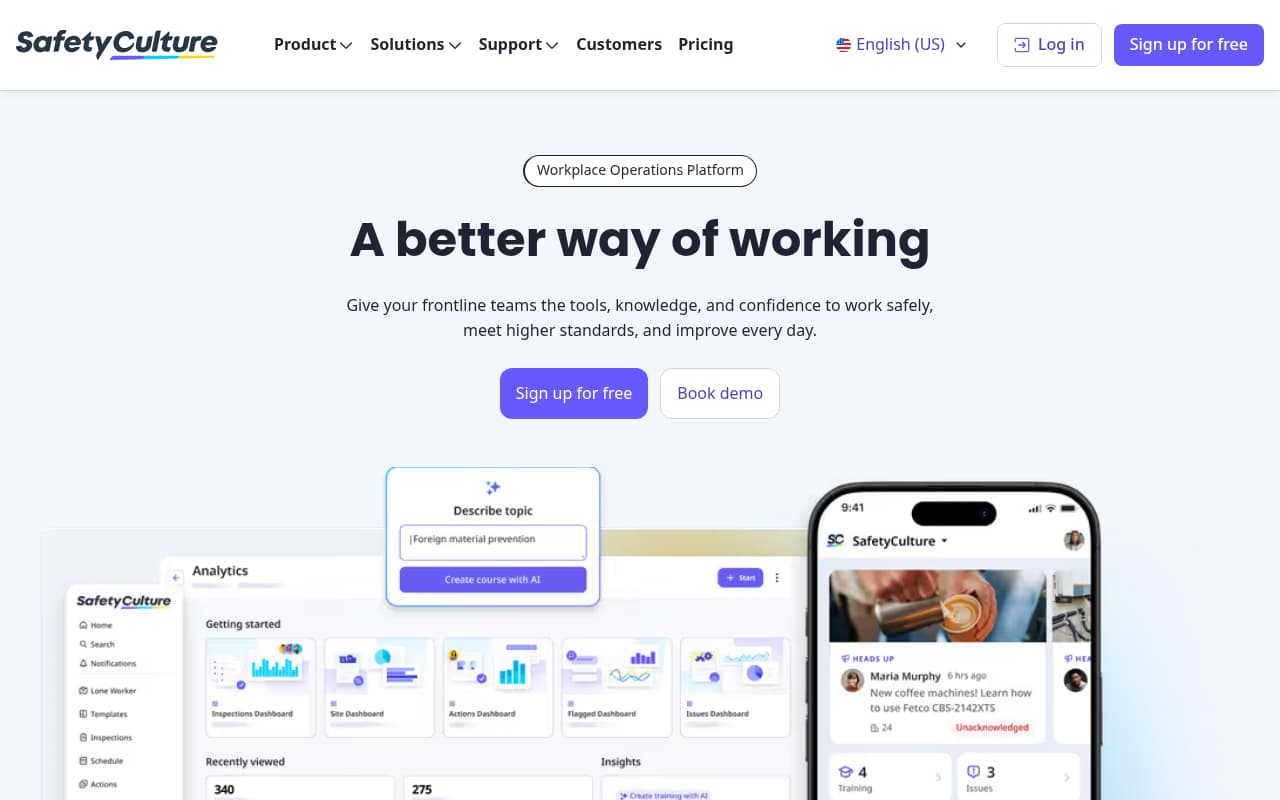
SafetyCulture's analytics shine when your safety data is primarily inspection-driven. The platform automatically tracks inspection completion rates, failed item trends, corrective action response times, and template effectiveness — turning every inspection into a data point that feeds your safety dashboard. The "Heads Up" module adds real-time safety observations that capture leading indicators (near misses, hazard identifications, positive observations) alongside your inspection data, giving safety managers a more complete picture of safety culture beyond just compliance metrics.
The visual analytics are clean and accessible. Safety managers can filter by location, team, template type, or date range to drill into specific trends. The automated report scheduling is practical — set up weekly inspection summary reports for supervisors and monthly trend reports for management, and they generate without manual intervention. The mobile analytics experience is notably polished, which matters for field supervisors who need to check compliance status from the wellsite or job site.
The limitation is analytics scope. SafetyCulture excels at inspection analytics because inspections are its core data type. Incident trend analysis, OSHA compliance metrics, and comprehensive EHS dashboards are less developed. For teams that need multi-dimensional safety analytics — correlating inspection findings with incident rates, tracking OSHA metrics alongside leading indicators — SafetyCulture's native dashboards may not be sufficient without exporting data to external BI tools.
Key Features
Pros
- Inspection-focused analytics are the best on this list for teams whose primary data source is field inspections — completion rates, failed item trends, response times, and template effectiveness are tracked automatically from inspection data
- The free plan includes basic analytics, making it accessible for small teams who want to start tracking inspection trends without financial commitment
- Mobile analytics experience is polished — field supervisors can check inspection compliance from their phone, which most enterprise platforms don't support well
Cons
- Analytics depth outside of inspections is limited — incident trend analysis, OSHA metrics, and compliance dashboards are less developed than platforms built around those data types
- Per-user pricing adds up quickly for larger teams — a 30-person crew at $24/seat/month is $720/month, and seasonal workers still need seats
- Advanced dashboard customization requires Power BI/Tableau integration — SafetyCulture's native dashboard builder is more limited than VelocityEHS or Benchmark Gensuite
- No OSHA 300 log generation or TRIR/DART rate calculation — the analytics focus on inspection data, not regulatory compliance metrics
Verdict: The best analytics for inspection-centric safety programs. If your primary data source is field inspections and you want automated trend tracking with a polished mobile interface, SafetyCulture delivers — but teams needing OSHA metrics or multi-dimensional EHS dashboards will need to supplement with other tools.
Try BasinCheck Free for 7 Days
Check BasinCheck plan limits and pricing against your requirements.
Start Free TrialEHS Insight
Mid-market EHS platform with pre-built safety dashboards, compliance scorecards, and management-ready reporting
Best For
Mid-size companies (100–1,000 employees) that need comprehensive EHS dashboards without enterprise-level complexity — strong balance of analytics depth and usability
Pricing
Custom pricing based on modules and user count; typically $8,000–$25,000/year; demo required
EHS Insight targets the middle ground that many safety managers actually occupy: they need more analytics depth than a basic inspection tool provides, but they don't have the budget, IT resources, or implementation timeline for an enterprise EHS platform. The pre-built dashboards cover the standard EHS metrics — incident trends, inspection completion rates, corrective action aging, training compliance, and regulatory status — with enough configurability to be useful without requiring a dedicated admin to maintain.
The compliance scorecard is the standout feature for safety managers juggling multiple regulatory requirements. Instead of tracking OSHA, DOT, EPA, and state-specific compliance in separate systems or spreadsheets, the scorecard provides a color-coded overview: green (compliant), yellow (action needed), red (non-compliant) across all applicable requirements. For safety managers who report to operations leadership, this visual summary answers the "are we compliant?" question instantly.
The executive reporting module is practical for organizations where the safety manager needs to brief leadership regularly. Pre-formatted reports with trend charts, KPI summaries, and compliance status can be scheduled and distributed automatically — no exporting to Excel, no manual chart creation, no PowerPoint assembly. The reports look professional enough to present at board meetings without additional formatting.
Key Features
Pros
- Best balance of analytics depth and usability for mid-size organizations — dashboards are comprehensive enough for serious analysis without the configuration complexity of VelocityEHS or Benchmark Gensuite
- Compliance scorecard is uniquely useful — color-coded regulatory status across all applicable requirements gives safety managers a quick visual summary of where they stand
- Executive reporting module produces management-ready outputs without BI tools — branded PDF reports with charts, KPIs, and trend analysis that can go directly to leadership
Cons
- Dashboard customization is moderate — you can configure pre-built dashboards but can't create fully custom layouts with arbitrary widgets the way VelocityEHS allows
- Pricing is opaque until you engage sales — the mid-market positioning means it's more expensive than lightweight tools but less transparent about cost than platforms with published pricing
- Mobile dashboard experience is adequate but not mobile-first — designed primarily for desktop use with responsive mobile access as a secondary consideration
- Smaller vendor with less frequent feature updates than larger platforms — the dashboard capabilities evolve more slowly than SafetyCulture or VelocityEHS
Verdict: The best safety dashboard for mid-size organizations that have outgrown basic inspection tools but aren't ready for enterprise EHS platforms. The compliance scorecard and executive reporting module are particularly strong for safety managers who report to leadership regularly.
Benchmark Gensuite
Enterprise EHS analytics suite with AI-powered insights, cross-module dashboards, and multi-site rollup reporting
Best For
Large enterprises (500+ employees, multiple sites) that need cross-module EHS analytics integrating incident, inspection, compliance, and environmental data into unified dashboards
Pricing
Custom enterprise pricing (typically $20,000–$75,000+/year depending on modules, sites, and user count); demo required
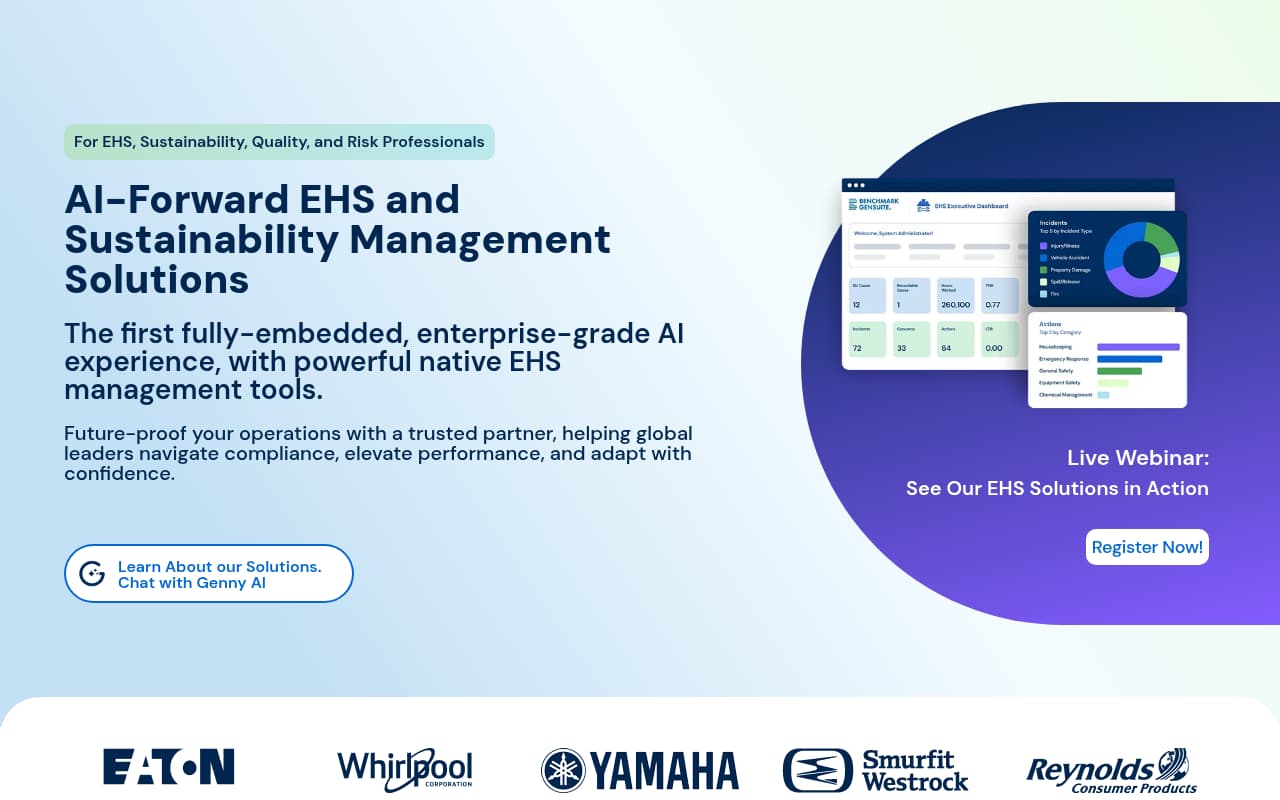
Benchmark Gensuite provides the deepest cross-module EHS analytics on this list. Where most platforms offer dashboards scoped to a single module — incidents or inspections or compliance — Gensuite integrates data across all EHS modules into unified analytics views. This means a safety director can see how inspection failure rates correlate with incident trends, whether training completion rates predict safety performance, and which sites are outliers across multiple metrics simultaneously. For organizations with complex, multi-site EHS programs, this cross-module visibility is genuinely valuable.
The AI-powered insights add a layer that most EHS dashboards lack. Instead of just visualizing historical data, the platform identifies patterns and anomalies: a spike in a particular inspection failure type, an unusual correlation between shift schedules and incident rates, or a training program that isn't translating into improved field performance. These insights don't replace safety manager judgment but they surface data points that manual review would likely miss in large datasets.
The cost and complexity are the clear barriers. Benchmark Gensuite is built for large enterprises with dedicated EHS teams, IT support, and six-figure software budgets. The dashboard capabilities are powerful but require significant configuration to realize their potential. For organizations that meet those criteria, the analytics depth is industry-leading. For mid-size companies or those without dedicated EHS analytics resources, the platform is more investment than they can effectively leverage.
Key Features
Pros
- Cross-module data integration is the primary strength — dashboards correlate incident data with inspection findings, corrective action trends, training completion, and compliance status in ways that single-module tools cannot achieve
- Multi-site rollup reporting is essential for organizations managing 10+ locations — aggregate KPIs at the corporate level while drilling down into site-specific performance
- AI insights surface patterns that manual analysis would miss — identifying correlations between inspection failures and subsequent incidents, or training gaps that precede safety events
Cons
- The most expensive option on this list — enterprise pricing starts at $20,000+/year and implementation adds significant additional cost; ROI only makes sense at 500+ employees across multiple sites
- Dashboard configuration is complex and requires dedicated admin resources — the flexibility is powerful but comes with a learning curve that frustrates non-technical users
- Mobile dashboard experience lags behind desktop — responsive design exists but the data-dense dashboards don't translate well to phone screens; primarily a desktop analytics platform
- Implementation timeline is 3–9 months — organizations expecting quick deployment will be disappointed by the configuration and integration requirements
Verdict: The most comprehensive cross-module EHS analytics platform for large enterprises. Multi-site rollup reporting and AI insights are industry-leading — but the cost and complexity make it practical only for organizations with dedicated EHS teams and enterprise budgets.
Safesite
Free safety management platform with basic safety dashboards and inspection tracking for small teams
Best For
Small companies and individual safety managers who need basic safety dashboards at minimal cost — good starting point for organizations digitizing safety tracking for the first time
Pricing
Free plan available (core features); Premium plans from $16/user/month; Enterprise pricing custom
Safesite occupies the entry-level position in safety dashboards: it's free to start, simple to use, and provides basic analytics that are meaningfully better than tracking safety data in spreadsheets. The dashboard shows incident trends, inspection completion rates, hazard observation frequency, and an automated safety score that benchmarks your performance against industry data. For companies moving from paper-based or spreadsheet-based safety tracking to their first digital platform, Safesite's dashboards provide immediate visibility into safety performance without cost or complexity barriers.
The mobile-first design is a genuine differentiator at this price point. Where most EHS platforms treat mobile as a secondary consideration — shrinking desktop dashboards to fit phone screens — Safesite's analytics were designed for mobile viewing first. Data visualizations are clean, readable, and navigable on a phone screen without excessive scrolling or zooming. For safety managers who check safety status from the field rather than an office desktop, this design philosophy matters.
The trade-off is analytics depth. Safesite's dashboards are sufficient for basic safety visibility — "How many incidents this month? Are inspections getting completed? What are the top hazards?" — but they lack the configurability, drill-down capability, and multi-dimensional analysis that mid-market and enterprise platforms provide. There's no drag-and-drop dashboard builder, no custom KPI configuration, no predictive analytics, and no cross-module data correlation. For organizations that need serious analytics, Safesite is a starting point, not a destination.
Key Features
Pros
- Free plan includes basic dashboards — the most accessible entry point for small companies that want safety analytics without financial commitment
- Clean, simple interface is the easiest to learn on this list — safety managers without technical backgrounds can navigate dashboards immediately without training
- Mobile-first dashboard design is genuinely optimized for phone screens — not just a responsive desktop layout, but a mobile-native analytics experience
Cons
- Analytics depth is the shallowest on this list — dashboards cover basic metrics (incident counts, inspection rates, hazard trends) but lack the configurability, drill-down capability, and KPI customization of mid-market or enterprise platforms
- Per-user pricing on premium plans scales linearly — larger teams face the same cost accumulation problem as SafetyCulture
- Limited export and integration options — no API access on free/basic plans, limited BI tool connectivity, and PDF exports are basic compared to competitors' executive reporting
- No OSHA log generation, no TRIR/DART calculation, no compliance scorecard — analytics focus on operational safety metrics, not regulatory compliance
Verdict: The best free option for basic safety dashboards. If you're moving from spreadsheets to digital safety tracking and want immediate visibility without cost, Safesite is the right starting point — but growing organizations will outgrow its analytics quickly.
Side-by-side feature comparison
| Software | Best For | Starting Price | Dashboard Customization | Real-Time Data | Mobile Dashboards | OSHA Metrics | Multi-Site Benchmarking |
|---|---|---|---|---|---|---|---|
| VelocityEHS | Large enterprises (500+) | ~$15,000/year | Full drag-and-drop | Yes (AI-enhanced) | Responsive (desktop-first) | Yes (300/300A + rates) | Yes (comprehensive) |
| BasinCheck | O&G contractors (20–300) | $149/mo (flat) | Pre-built + configurable | Yes | Yes (mobile-first) | Yes (300/300A + AI classification) | Yes (crew/location) |
| SafetyCulture | Inspection-focused teams | Free / $24/seat/mo | Moderate (filters + templates) | Yes | Yes (mobile-first) | No | Basic (by location filter) |
| EHS Insight | Mid-size companies (100–1,000) | ~$8,000/year | Configurable pre-built | Yes | Responsive (desktop-first) | Yes | Yes |
| Benchmark Gensuite | Large enterprises (500+) | ~$20,000/year | Full (complex config) | Yes (AI-enhanced) | Responsive (desktop-first) | Yes (cross-module) | Yes (comprehensive) |
| Safesite | Small teams / beginners | Free / $16/seat/mo | Limited (pre-built) | Yes (basic) | Yes (mobile-first) | No | No |
How we evaluated these tools
We evaluated 12+ EHS and safety platforms on their dashboard and analytics capabilities specifically — not on their full feature sets. Our assessment focused on five criteria that determine whether a safety dashboard delivers real operational value:
- Dashboard customization: Can you build custom views with the KPIs that matter to your organization, or are you limited to pre-built templates? We rated platforms on the flexibility of their dashboard builder and the range of available widgets and visualization types.
- Real-time data refresh: How quickly do dashboards reflect new data from inspections, incidents, and corrective actions? We tested data latency from field entry to dashboard display and evaluated whether the platform supports live data streaming versus periodic batch refresh.
- Mobile dashboard access: Can field supervisors and safety managers access meaningful analytics on a phone screen in field conditions? We tested mobile interfaces on both iOS and Android and assessed whether dashboards were designed for mobile viewing or simply responsive desktop layouts.
- KPI configurability and OSHA metrics: Can you define custom KPIs, set targets, and configure automated alerts? Does the platform calculate and display OSHA-specific metrics (TRIR, DART rates, 300 log status) on dashboards? Regulatory metrics are table stakes for safety software; their absence is a significant gap.
- Export and reporting: Can you generate executive-ready reports from dashboard data, schedule automated distribution, and export data for external analysis? The practical utility of dashboards depends partly on how easily the insights they reveal can be communicated to leadership.
BasinCheck is our product. We ranked ourselves at #2 because our dashboards are purpose-built for oilfield contractors and deliver strong analytics at flat pricing, but we don't yet offer the drag-and-drop dashboard builder or AI-powered predictive analytics that VelocityEHS provides for enterprise buyers.
Frequently Asked Questions
What safety KPIs should I track on my dashboard?
At minimum, track both leading indicators (inspection completion rates, hazard observations, training compliance, near-miss reports) and lagging indicators (TRIR, DART rate, incident frequency, severity rates). Leading indicators predict future performance while lagging indicators measure past outcomes. The most effective safety dashboards display both side-by-side so you can see whether your proactive efforts are translating into fewer incidents over time.
Do I need a dedicated BI tool for safety analytics?
For most safety teams, no. Modern EHS platforms (VelocityEHS, EHS Insight, BasinCheck, Benchmark Gensuite) include built-in dashboards with sufficient analytics for daily safety management and executive reporting. A dedicated BI tool (Power BI, Tableau) makes sense only when you need to correlate safety data with external datasets (production volumes, weather data, staffing levels) or create highly customized visualizations that exceed what your EHS platform provides natively.
How often should safety dashboards refresh data?
For operational safety management, real-time or near-real-time refresh (within minutes of data entry) is ideal — it ensures that corrective actions, new incidents, and inspection completions are visible to safety managers as they happen. Batch refresh (daily or weekly updates) is acceptable for executive-level trend dashboards but insufficient for operational decision-making where overdue actions or emerging hazards need immediate attention.
Can safety dashboard software help with ISNetworld compliance?
Indirectly, yes. Safety dashboards that track TRIR, DART rates, inspection completion rates, and OSHA log status help you monitor the metrics that ISNetworld grades. If your TRIR is trending upward on your dashboard, you can intervene before it affects your ISNetworld score. Platforms that auto-generate OSHA 300 logs (like BasinCheck and VelocityEHS) also streamline the OSHA recordkeeping component of ISNetworld compliance.
What's the difference between safety dashboards in small vs. enterprise platforms?
Small-platform dashboards (Safesite, SafetyCulture) offer clean pre-built views of core metrics — incident counts, inspection rates, basic trends — with limited customization. Enterprise dashboards (VelocityEHS, Benchmark Gensuite) offer drag-and-drop builders, cross-module data correlation, AI-powered insights, and multi-site rollup reporting. Mid-market platforms (BasinCheck, EHS Insight) balance analytics depth with usability — pre-built dashboards covering industry-specific KPIs with moderate configurability and executive reporting features.
Final verdict
Safety dashboards range from free basic views (Safesite) to six-figure enterprise analytics suites (VelocityEHS, Benchmark Gensuite), with the right choice depending on your organization's size, data complexity, and analytics needs. The key question isn't "which platform has the most charts?" but "which platform turns my safety data into decisions I can act on today?"
For large enterprises managing multiple sites with dedicated EHS analytics teams, VelocityEHS provides the deepest analytics with AI-powered predictive insights. For mid-size companies that need comprehensive dashboards without enterprise complexity, EHS Insight offers the best balance. For oilfield contractors who need mobile-first safety visibility at flat pricing with OSHA metrics built in, BasinCheck delivers industry-specific dashboards without per-user cost scaling. For inspection-centric teams, SafetyCulture provides the strongest inspection analytics with a polished mobile interface. And for small teams just starting to digitize safety tracking, Safesite offers a free entry point that's meaningfully better than spreadsheets.
Whatever you choose, prioritize platforms that show both leading and lagging indicators in real-time. A dashboard that only shows last month's incident count is a report, not a management tool. The value of safety analytics is seeing today's risks before they become tomorrow's incidents.