THI Water Well Customer story
Safety records that follow the rig.
How THI brought Drilling and Service safety documentation into one place, kept each team's way of working, and chose to stay after the pilot.
Read the storyBowie, Texas Water-well operations
 BasinCheck customer story
From paper records to daily safety work
- The starting point
- Paper forms moving between rigs, crews, and the office.
- The approach
- Familiar forms, rig numbers, and separate Drilling and Service workspaces.
- Why THI stayed
- Colton could review completed work and follow up with crews in one place.
About THI
A North Texas water-well operation.
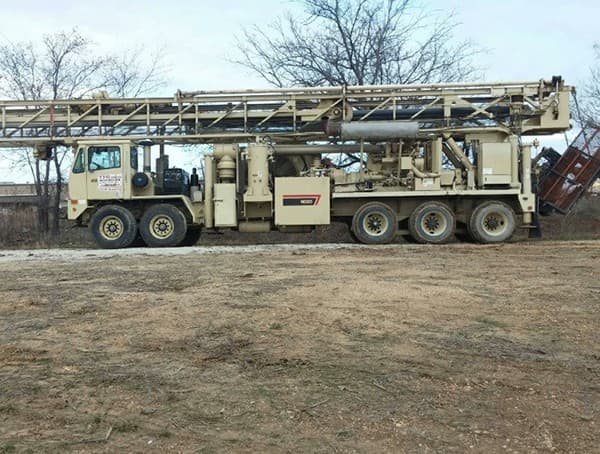
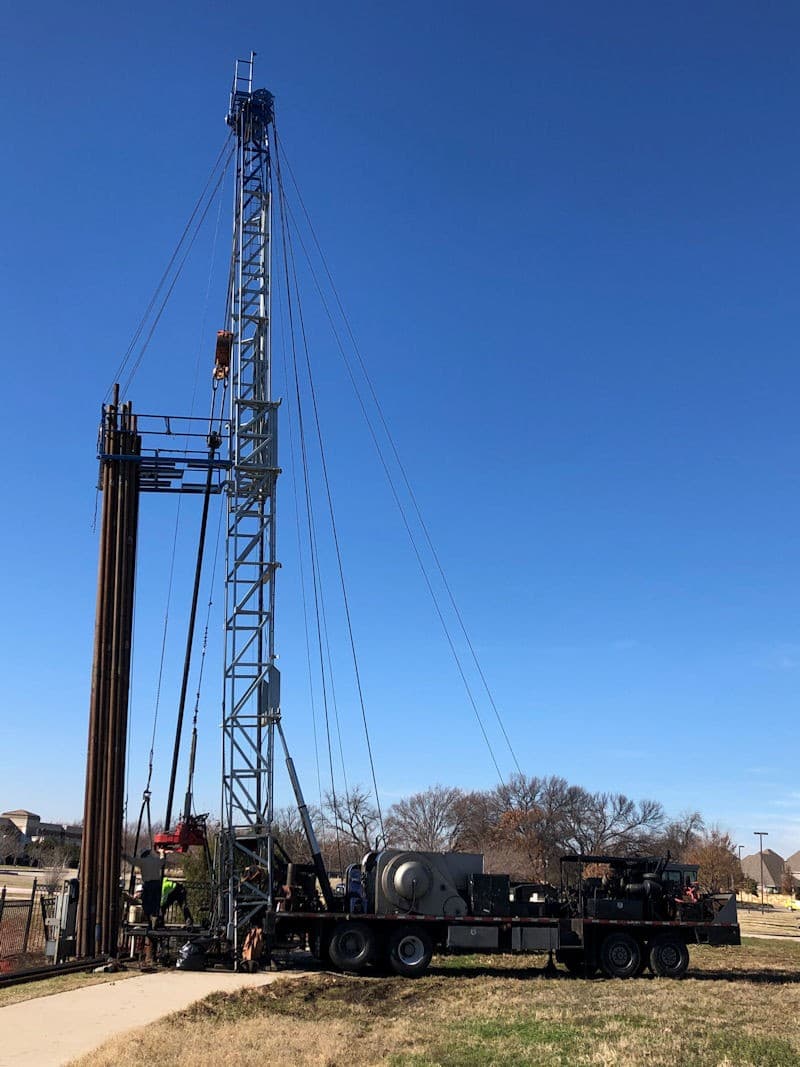
Established in 1981, THI Water Well is based in Bowie, Texas. It drills and services water wells for industrial, municipal, irrigation, and domestic use across North Texas.
Its service work includes pump and motor repairs, performance testing, downhole camera surveys, and well rehabilitation.
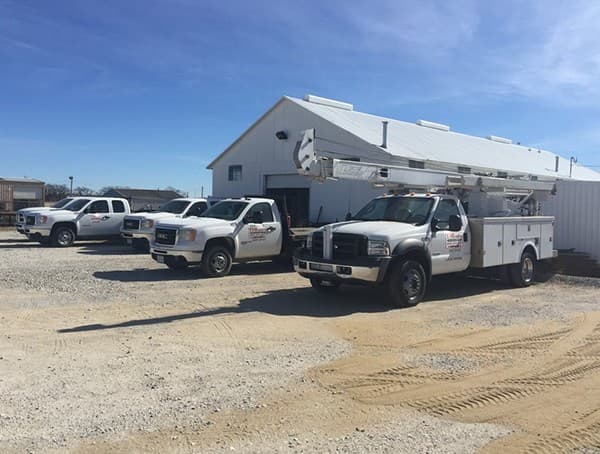
Company context from THI's About and Services pages. Photographs and logo supplied from its public materials.
01 The starting point
The paperwork had to make it back to the office.
In May 2026, THI Water Well was managing safety records on paper. Safety Manager Colton Clevenger worked with forms he had inherited and others he had created.
Crews generally turned in their paperwork. But when a JHA, JSA, or hot work permit didn't reach the office, Colton had to track it down. He wanted records submitted and ready to retrieve when questions came up.
Finding the right platform was its own challenge. The process needed to work for supervisors who were less comfortable with technology, across rigs that constantly moved between jobs.
“make it easy on both myself and the guys.”
02 The THI setup
Start with the forms. Organize around the work.
Before discovering BasinCheck through Reddit, Colton had been looking for someone to develop apps specifically for THI. He wanted a system that could fit the company's operation.
He sent over THI's existing documents. BasinCheck's founder, Jacob Szyszka, began mapping them into the workspace and working through the setup with him.
- 01
Keep familiar forms as the starting point
THI's documents guided the inspection and JHA/JSA templates. Colton also invited suggestions about combining overlapping forms.
- 02
Use rig numbers as the location reference
Fixed jobsite addresses would change. The setup used rig numbers so records could stay associated with the operating unit.
- 03
Give Service and Drilling their own workspaces
The two teams could be reviewed separately. Colton could switch between their workspaces and the THI company hub.
Service
Drilling
Explore the underlying drilling safety workflows .
03 From paper to digital
His forms. Ready before the first login.
On May 15, Colton sent 11 documents he wanted to digitize. The pack mixed forms he had inherited with ones he had created himself, across PDFs, Word documents, and HTML files. Jacob and Colton held their first pilot call on May 18.
Jacob used those documents to configure THI's starting template library in under two days. The forms crews already knew became the starting point for their work in BasinCheck.
- Daily rig checklistReadiness, rig condition, end-of-day checks
- Inspection templateFamiliar checks, recorded against the rig
- JHA / JSAJob steps, hazards, and mitigations
- Job safety analysisSteps, hazards, and controls in a JSA template
- Harness + lanyard formsOverlapping equipment checks
- Fall-protection inspectionOne template covering both equipment types
What else was in the onboarding pack?
Daily forklift inspection, forklift operator evaluation, wire-rope/cable inspection, hot-work permit, behavior-based safety card, employee suggestion form, and short-service employee exit evaluation.
Daily forklift checks and operator evaluations stayed separate: one assesses the equipment, the other the operator. The hot-work form became a separate permit-style checklist. Paper fields were adapted into checklists and notes rather than reproduced field for field.
The setup time is Jacob's account of this onboarding, not a standard delivery promise. Configured templates do not establish use of every form by THI's crews.
See how to replace paper safety checklists .
04 What changed for Colton
One place to see the work.
One place to follow up.
Colton says THI now uses BasinCheck for JSAs, equipment inspections, weekly toolbox talks, incident reports, and reviewing what crews submit from the field. That work spans both Drilling and Service.
- See what is complete
- Review crew submissions across the two departments, with safety documentation in one place.
- Catch what needs attention
- Identify items to follow up on as part of reviewing the work crews submit.
- Follow up with the crews
- Colton says he can follow up without chasing paperwork from different rigs and job sites.
He reports more consistency in how THI documents safety work, while Drilling and Service continue to operate the way they actually work.
“The biggest benefit for me is having that work in one place.”
05 Records in the system
282 records across two operating teams.
A snapshot of THI's Service and Drilling workspaces shows inspections, job safety analyses, and safety meetings in submitted or approved states.
Submitted or approved
282 field recordsSource: aggregate production database query on October 2, 2026. Counts include records created May 18 through October 1 UTC, with status submitted for inspections/audits and safety meetings, or approved for JSAs. Drafts, pending approvals, and requested permits are excluded. Counts describe stored activity, not measured time savings or safety outcomes.
“It helps make expectations clear, gives us better documentation, and gives management a better view of what is happening across the company.”
★★★★★5.0/5 · Colton's Capterra review
Public review on August 4, 2026. Read the full review on Capterra.06 Why THI renewed
The pilot earned a place in THI's daily process.
THI renewed after the pilot, with payment confirmed by BasinCheck's founder. For Colton, the decision came from seeing how BasinCheck could support the team's day-to-day safety process.
“We decided to renew because the pilot showed us that BasinCheck could become a useful part of our day-to-day safety process, not just another place to store forms.”
A foundation THI is still building on.
THI is continuing to build out its employee and equipment records so people, rigs, and checklists are easier to organize by department. Some workflows are still being developed, and Colton wants to see improvements. He says the value is already there for the team.
Your forms. Your field operation.
Start with your forms.
Build around your crews.
Start with an inspection or JSA your team already uses. We'll walk through how to organize it around your crews and equipment.
See how your workflow fits Explore field inspections