BasinCheck vs SharePoint for Safety
SharePoint is a great place to store safety files. It was never built to run a safety program. See where a document library stops - and what it takes to close the gap.
TL;DR
SharePoint is an excellent file and collaboration platform - central storage, co-authoring, version history, and you probably already own it. But it stores documents, not safety records, and turning it into a safety system means building and maintaining Power Apps and Power Automate. BasinCheck is that system, ready to go: structured records, automatic workflows, offline field capture, and an OSHA-ready audit trail.
Keep SharePoint for storing and sharing documents. Use BasinCheck to actually run audits, corrective actions, and compliance across your crews.
"We Already Have SharePoint" Hides the Real Cost
Storage is the cheap part. Turning SharePoint into a safety system adds licensing and labor that rarely makes it into the business case.
Premium licensing: Once an app needs a premium or custom connector, every user needs a license - roughly $15-$20/user/mo on top of M365.
Build time: Forms, flows, approvals, permissions, retention policies, and reports are all custom IT projects.
Maintenance risk: When the person who built it leaves, the system breaks - and crews fall back to emailing files.
Flat pricing: From $149/month with unlimited users - no per-connector or premium-license surprises.
Nothing to build: Workflows, OSHA logs, and the audit trail ship ready to use.
Maintained for you: Updates and regulatory changes are handled - no internal project to keep it alive.
Live the same day, not after a multi-month build.
Power Platform pricing reflects Microsoft's published per-user licensing for premium Power Apps and Power Automate; verify current rates with Microsoft. Your configuration may vary.
See it in action
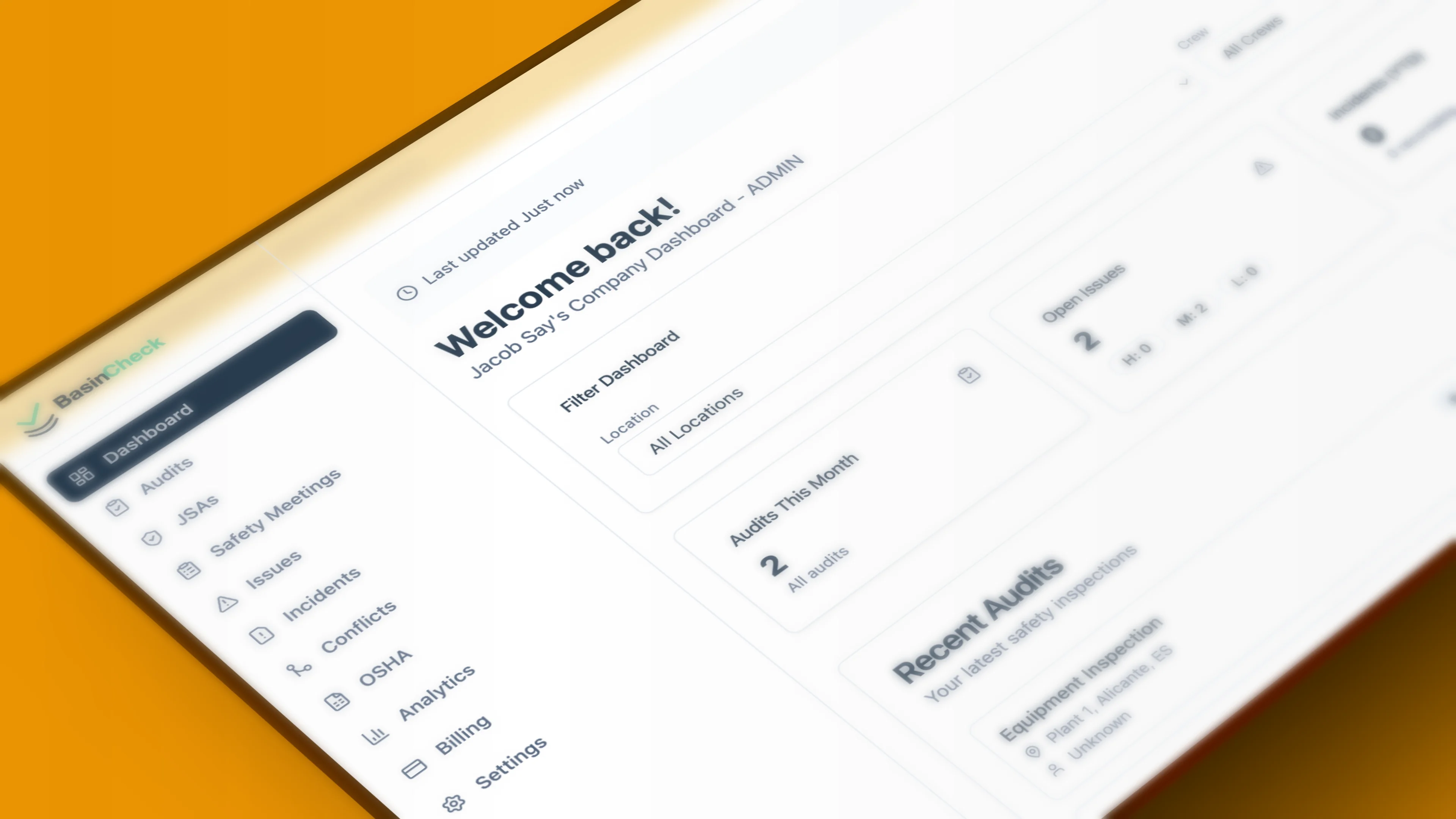
A Safety System, Not a Folder
This is what you'd be building on top of SharePoint - already done, connected, and running on day one.
Daily Rig Inspection
3 of 6 items complete
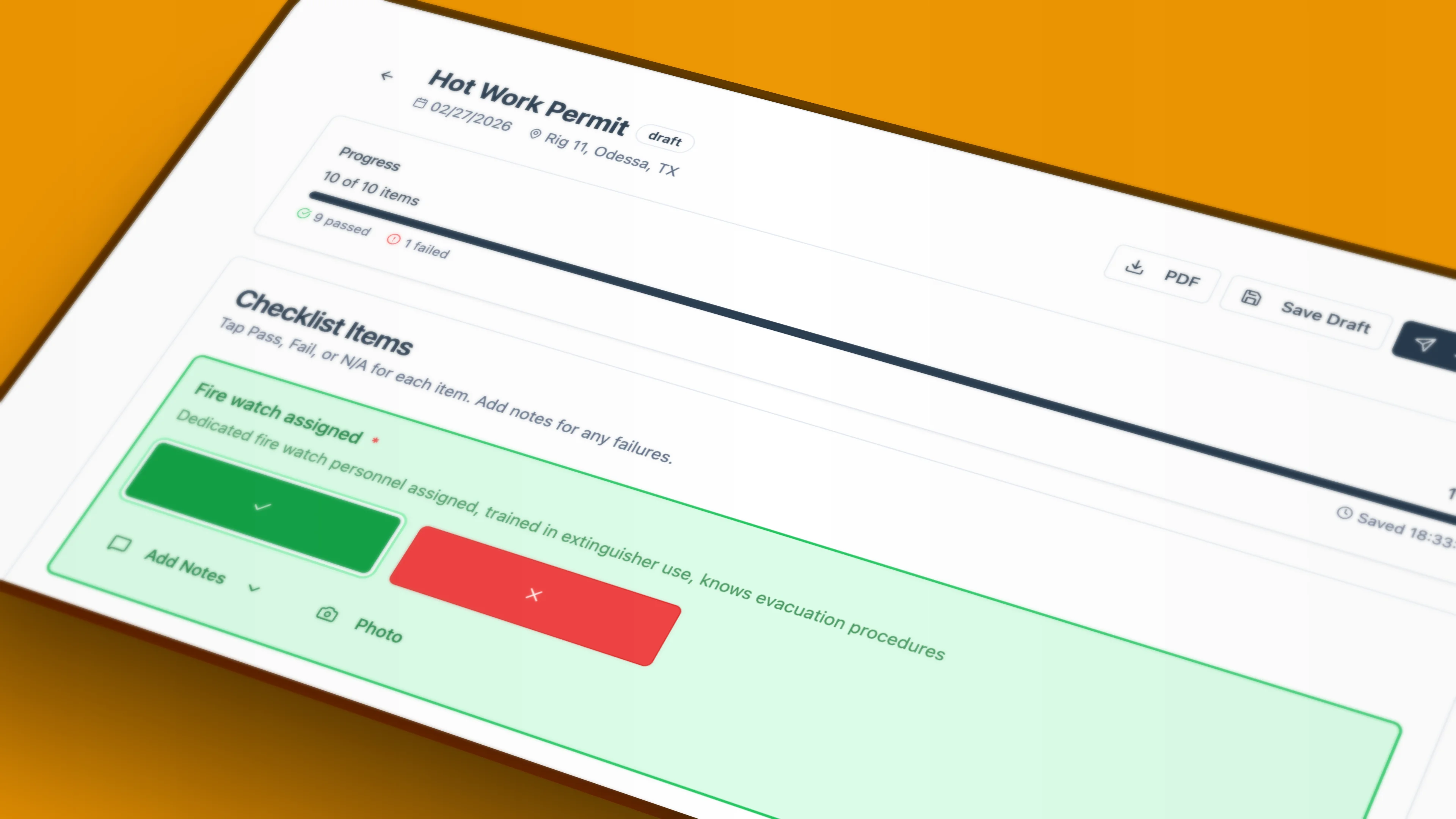
Complete audits in the field — even with no signal. Syncs automatically when you reconnect.
Feature Comparison
Purpose-built safety software vs a document library you adapt yourself
| Feature | BasinCheck | SharePoint Files |
|---|---|---|
| Stores structured records you can report on | Files in libraries | |
| Cross-crew reports (e.g. all open corrective actions) | Manual (5,000-item view limit) | |
| Offline field data capture (not just file sync) | ||
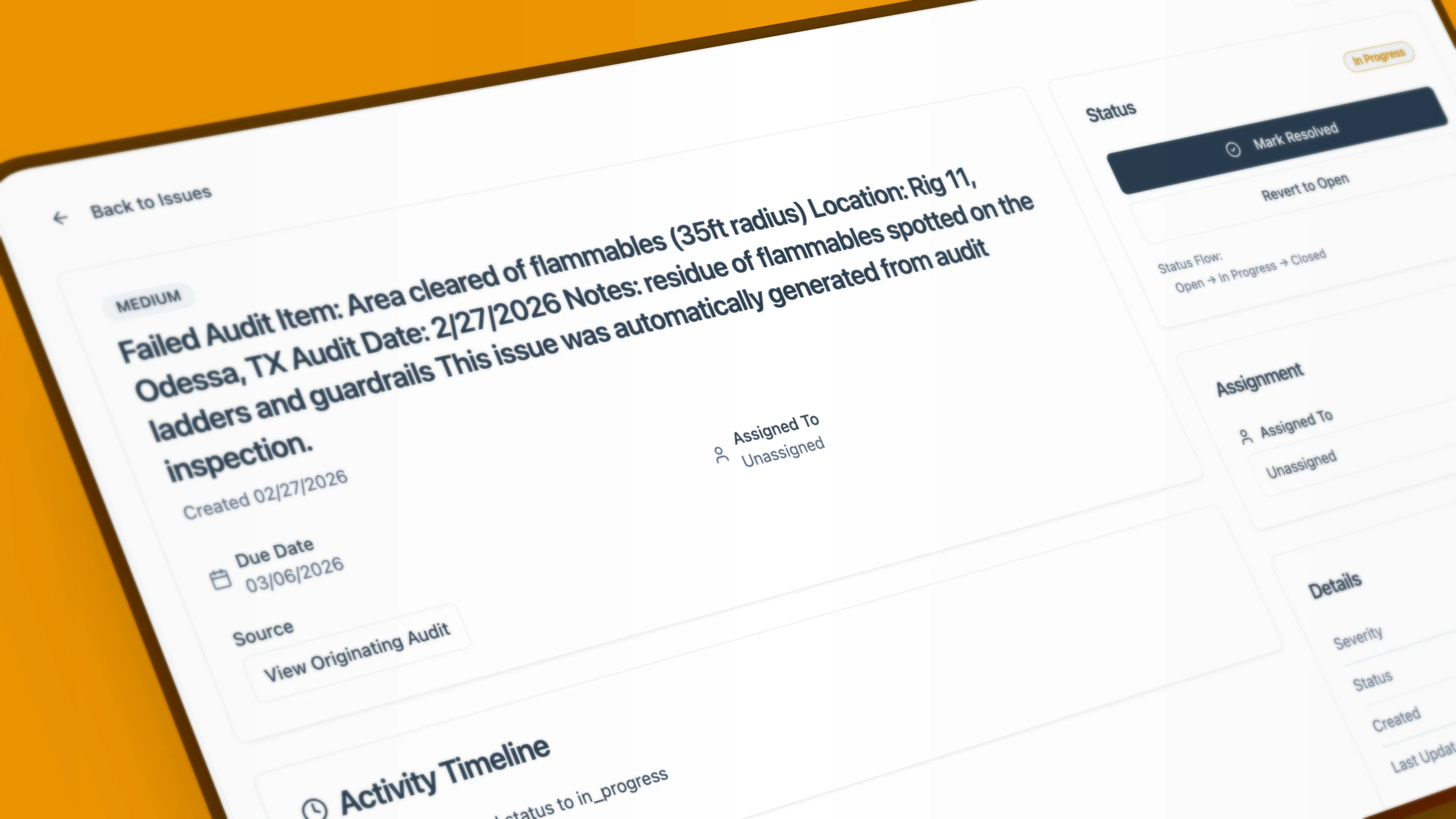
| Auto-create corrective actions from failed items | Needs Power Automate | |
| Notifications & approval routing out of the box | Needs Power Apps/Automate | |
| Immutable, timestamped compliance audit trail | ||
| OSHA 300 / 300A log generation | ||
| GPS-tagged field photos tied to audit items | ||
| Safety roles (manager / supervisor / field worker) | Manual permissions | |
| Time to go live | Same day | IT build project |
| Cost beyond licenses you already own | From $149/mo flat | Power Platform + dev time |
Comparison reflects out-of-the-box SharePoint Online behavior and Microsoft-documented limits. Capabilities can be extended with custom Power Platform development. Your setup may vary.
What Teams Say About Homegrown SharePoint Systems
What do safety managers say? Here are common challenges with paper and spreadsheet-based safety systems.
“We dumped every inspection into a SharePoint folder. It was organized, but it never told us what was still open or overdue.”
- Safety manager, oilfield services (anonymized)
“IT built us a Power Apps form. Then they left, and nobody could touch it. We were back to emailing files.”
- HSE coordinator, contractor (anonymized)
Quotes are anonymized excerpts from public industry discussions describing common challenges with paper- and spreadsheet-based safety systems.
Why Teams Switch
The breaking point usually isn't storage - it's everything you have to build and maintain to make storage behave like a safety system.
Structured Records, Not a Folder of Files
Every audit, issue, JSA, and incident is a queryable record. Filter open corrective actions by crew, location, or due date instantly - no List threshold to engineer around.
Workflows That Are Already Built
Failed items auto-create assigned corrective actions. Approvals route, reminders send, OSHA logs generate - out of the box, with no Power Platform license or developer required.
Built for Field Crews, Offline
Complete an audit, JSA, or incident on a phone with no signal. It syncs automatically when you reconnect - genuine offline capture, not file viewing.
A Defensible Audit Trail by Default
Every action is timestamped to a user, sign-offs are captured, and records are immutable. Nothing to configure - compliance documentation is how the product works.
Everything You Need for Field Safety Management
Purpose-built features for oilfield operations, from rig inspections to OSHA compliance.
What SharePoint Does Well
We're not telling you to rip out SharePoint. It's a strong platform for what it was designed to do - and the two work fine side by side.
- Central, cloud file storage with strong document co-authoring
- Version history that genuinely beats emailing spreadsheets around
- Granular permissions you can configure at site, library, folder, or item level
- Already owned by most companies on Microsoft 365
The honest framing: SharePoint is an excellent file and collaboration platform. It was never built as a field safety operations system - and bridging that gap is a do-it-yourself project. Many BasinCheck customers keep SharePoint for general documents and use BasinCheck for the safety program itself.
Who Each Is Right For
The right choice depends on whether you need a place to store documents or a system to run safety.
You mainly need to store and share safety documents.
You have IT or a developer to build and maintain Power Apps.
Field crews rarely capture data offline in the field.
You don't need OSHA logs or automated corrective actions.
You need workflows and reporting, not just file storage.
You don't want a homegrown system to build and babysit.
Crews complete audits and incidents on phones, often offline.
You must produce a defensible, OSHA-ready audit trail.
The BasinCheck edge
- Purpose-built safety records, workflows, and OSHA outputs - no building required
- True offline field capture with photos, not just file sync
- Immutable, timestamped audit trail on by default
- Flat monthly price with no Power Platform licensing or developer time
Frequently Asked Questions
Stop Building. Start Running Safety.
Get the workflows, reporting, and audit trail you'd spend months building on SharePoint - live the same day.